

Notes on building smarter websites for actual humans.

Squarespace SEO Optimization for eCommerce Websites
Unlock the secrets to cooking up search visibility and traffic that keeps new customers steadily streaming in. With my guidance, you'll start earning links and rankings organically - no weird gimmicks needed!
Unlock the secrets to cooking up search visibility and traffic that keeps new customers steadily streaming in. With my guidance, you'll start earning links and rankings organically - no weird gimmicks needed!
My Take on Squarespace SEO for eCommerce
When it comes to search engine optimization (SEO) for eCommerce sites, I take a practical yet optimistic approach. Too often shop owners are blinded by promises of getting rich quick with little effort from shady SEO gurus. Thankfully for Squarespace eCommerce store owners, the platform comes equipped with many built-in SEO features like automatic sitemaps and SSL that give you a head start optimizing your site's foundations. The reality is that lasting SEO success requires a long-term strategy built on best practices, quality content, and always keeping the customer experience top of mind.
I liken good SEO to baking the perfect loaf of bread. You need to carefully combine the right ingredients (keywords, links, page speed, etc.), monitor as it rises (track rankings and traffic over time), and resist any urge to pull it out of the oven too soon (avoid tactics that could get you penalized). The end result is well worth the patience and care put into creating it.
While Squarespace SEO for eCommerce can seem complicated on the surface, my goal is to break things down into simple, actionable steps any shop owner can understand and implement. I believe that small, incremental improvements over time compound to yield significant results.
Here are my top recommendations for getting started:
Audit your site's speed and make optimizations to accelerate load times. Every second counts when customers are waiting. Use a tool such as SEOSpace to help you find oversized images that may be slowing things down.
Incorporate relevant keywords naturally into product names and descriptions. Treat each product page as an opportunity to connect with searching customers.
Include multiple high-quality product images as well as supplementary technical details and longer descriptions for each of your products.
Set competitive prices and explain any significant deviations from industry averages on your product details pages.
Sync your Squarespace store to Google Merchant Center to get products displayed across Google's platforms.
Follow my checklist to optimize important site elements like titles, URLs, and meta descriptions. These building blocks matter.
Add an FAQ page to improve search visibility and customer experience. Answering common questions is a valuable SEO opportunity.
Submit your sitemap to search engines so they can easily discover new pages and products.
Learn how to effectively use categories and tags to improve on-site navigation with a bonus of better search visibility.
Install Google Analytics and connect to Google Search Console to unlock free visibility into how your site is performing.
I encourage you to explore my in-depth posts on each recommendation above to further equip your site for SEO wins. And remember, lasting results don't happen overnight. But with a thoughtful strategy and commitment to continuous small improvements, your perseverance will pay off in the form of more organic traffic and sales over time.
Blog Posts About Squarespace SEO for eCommerce


Videos About Squarespace SEO


Common Squarespace SEO FAQs
-
The only paid SEO tool I recommend for Squarespace sites is SEOSpace. They function as a customizable all-in-one SEO plugin, similar to Yoast for WordPress sites. SEOSpace helps you optimize all critical elements like meta descriptions, site speed, etc. right from your Squarespace dashboard.
Otherwise, you can leverage the many built-in SEO features Squarespace offers without needing to install anything else. This includes editable metadata, customizable URLs, integrated Google tools and more. I help clients maximize use of these free functionalities before looking at paid services.
-
The most essential on-page elements that impact eCommerce SEO include:
Page titles and meta descriptions - Keep these under 60 characters and incorporate target keywords when possible.
Headers and content - Naturally incorporate keywords into headers, product titles/details, image names and alt text.
URL slugs - Use descriptive keywords in product page URLs.
Site speed - Faster sites rank better. Compress images, minify code and defer loading of JS.
Consistency across product categories also helps. Treat every product description as an opportunity to connect with searching customers.
-
While large, extensive updates aren't essential, I generally recommend revisiting your overall product catalog each quarter to refresh pricing info, inventory counts, details that may have changed. Adding new items and removing discontinued/out-of-stock products also keeps your offerings fresh.
On individual product pages, tweaking an image, updating a description or adding supplemental info every 1-2 months is ideal for SEO. But consistency matters most - small, regular improvements add up. As search trends and relevance changes over time, monitoring analytics provides insights to improve conversions.
-
The good news is all Squarespace templates have the same built-in SEO capabilities regardless of design or structure. So you can confidently choose whatever template fits your brand visually and trust the platform has you covered there!
Elements that really matter are focusing on excellent content, optimizing speed, and providing an enjoyable user experience across devices. I have posts here, here and here detailing my favorite templates if you need design inspiration - but pick what aesthetically suits your products best!
Top 3 Squrespace SEO Resources

SEOSpace
This amazing plugin is the only one of its kind that scans your site and tells you exactly what you need to update to take your site from nothing to something according to Google. It will even tell you which keywords may perform better than others and how to optimize for them!

Weglot
If you’re selling in multiple languages, effectively optimizing that content for SEO is crucial. Weglot is the only Squarespace official extension that will help you easily create a multilingual site that meets all SEO best practices.

eCommerce Email Marketing Tips & Strategies
From building lists to drafting campaigns, I've got the insider tips to start serving up eCommerce email marketing realness that has your customers coming back for seconds.
From building lists to drafting campaigns, I've got the insider tips to start serving up eCommerce email marketing realness that has your customers coming back for seconds.
My Take on eCommerce Email Marketing
Email marketing retains its crown as one of the most effective yet underutilized tools for connecting with customers. But it doesn’t have to be complicated or spammy. I’ve picked up tons of insider tips and strategies to help you serve up savvy campaigns that engage subscribers and drive real results.
First, mindset matters. Despite recurring claims of its demise 🙃, email is still going strong with higher conversion and ROI than most digital marketing channels (see full stats here). The reality is customers actually want to hear from brands they love! The key is providing ongoing value through your messaging, not constant sales pitches.
With the right mindset covered, focus your efforts on automation and personalization. Here are some ideas to get you started:
Welcome new subscribers with a friendly onboarding series. Guide fresh leads through valuable content while offering an initial discount to encourage sign-up conversions.
Set up workflows to target customers based on behaviors like abandoned carts. Strategic post-browse or cart recovery messaging prompts purchase completion with timed offers.
Leverage purchase data to recommend relevant products. Further monetize existing buyers through intelligent cross-sells while nurturing product affinity.
Surprise and delight! Send birthday promos, customer appreciation sales, or exclusive sneak peeks. Simple personal touches make subscribers feel special and eager to buy again and help you stay top of mind.
Squarespace makes sending marketing emails easy through their built-in marketing automations, allowing you to easily create sequences based on subscriber behaviors or schedule one-off email blasts to announce promotions. You can even customize order confirmation messaging based on products purchased with just a few clicks. However, if you want to go a step further and do some advanced segmentation and targeting, ConvertKit and Squarespace Commerce integrate so naturally that they make the perfect pair.
When executed strategically, email marketing forms the backbone of any ecommerce marketing strategy. Optimize message relevancy, provide ongoing value, and honor subscriber consent, then watch as your list becomes one of your most valuable business assets for customer retention and lifetime value boosting. I’m excited for you to uncover the full potential of this channel for your brand!
Blog Posts about eCommerce Email Marketing



Videos about eCommerce Email Marketing

Common eCommerce Email Marketing FAQs
-
An effective welcome email series guides fresh subscribers through valuable content while offering an initial discount to encourage engagement. Maintain momentum by sending 3-5 emails over the first week covering:
A genuine thank you and overview of upcoming email content
Tips, tricks and recommendations based on subscriber source
Links to blog posts, how-to guides, or other resources
Exclusive promo code for first purchase to prompt action
With Squarespace email campaigns or ConvertKit, you can easily set up automated sequences or scheduled messages personalized with merge tags like {firstname} to help things feel personalized!
-
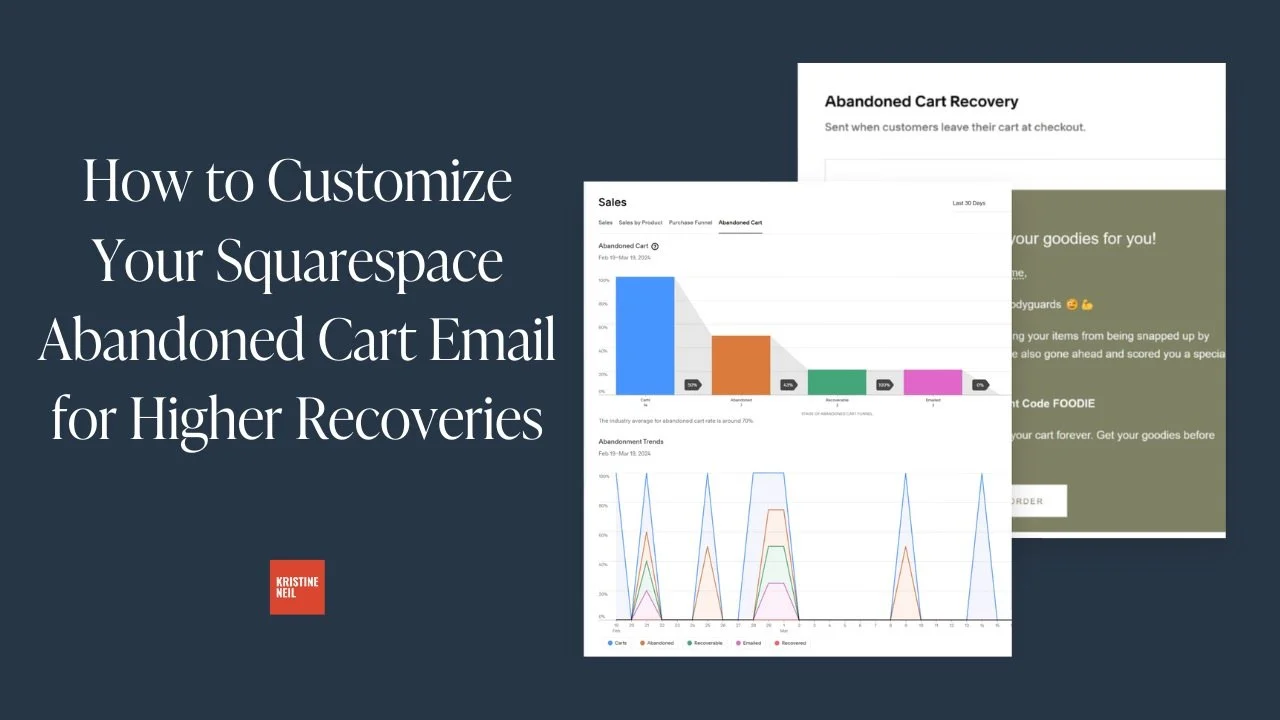
Did you know roughly 75% of online shopping carts are abandoned before checkout? That adds up to nearly $4 trillion in lost ecommerce sales every year. But with targeted messaging, you can recover 10-15% of abandoned cart revenue easily.
Strategic abandoned cart recovery emails deployed within 24 hours prompt purchase completion by clearly highlighting original items left behind coupled with urgency-inducing perks like discounts or free shipping.
Best practices include:
Refresh cart contents with product images/details
Limit copy to focus solely on finishing transaction
Offer time-sensitive promo code or free gift
Share testimonials reinforcing purchase decision
Leverage Squarespace’s automation tools to trigger abandoned cart emails based on active cart session length. Then use Squarespace’s built-in eCommerce analytics to track recovery rates and optimize messaging for increased sales.
-
Core email automations cover the entire subscriber lifecycle. Must-haves like welcome series and abandoned cart recovery can increase conversions. While post-purchase follow-ups and special occasion messaging boost engagement and lifetime value.
Additional automations to consider:
Browse abandonment for high-interest site visitors
Customer win-back for period inactive subscribers
Waitlist notification for out of stock products
-
Determining optimal email frequency is a careful balance. Send too often and subscribers get annoyed. Too seldom and they forget who you are. Typically best practice is to aim for:
2-4 emails per month for a general subscriber list
Weekly for very engaged followers signed up for things like newsletters
Only on special occasions for one-time purchasers
The key is providing value, not cluttering inboxes. Use email as an opportunity to share advice, build community and make emotional connections. Then track engagement metrics in your email marketing platform of choice to see what works best for your audience.
These analytics will usually tell you what you need:
Open and click-through rates
Bounce or abuse reports
Unsubscribe volume
Upticks in site traffic or sales around sends
Let your data determine the ideal pace and tweak things if you see fatigue setting in. The goal is inbox anticipation, not annoyance!
Top 3 eCommerce Email Marketing Resources
ConvertKit
My number one favorite email marketing platform! Super powerful yet still easy to use and (bonus!) plays super nice with Squarespace Commerce.
Squarespace Email Campaigns
If you’re looking to keep everything under one roof, Squarespace’s built-in email capabilities are simple but extremely effective.

Flodesk
For the design-minded, this one’s for you! It has some built-in commerce capabilities and it’s easy to link to Squarespace via Zapier.

Squarespace Store Management: Streamline Your Online Shop
Save hours of headaches by streamlining order fulfillment, inventory, taxes and more using Squarespace as your all-in-one CRM. I'll help you master the backend to efficiently manage orders, track customer details, and simplify eCommerce operations!
Save hours of headaches by streamlining order fulfillment, inventory, taxes and more using Squarespace as your all-in-one CRM. I'll help you master the backend to efficiently manage orders, track customer details, and simplify eCommerce operations!
My Take on Squarespace Store Management
Streamlining ecommerce store management doesn’t have to be a headache, even as your orders, inventory and customers grow. The key is leveraging tools that simplify operations in one centralized place.
Enter Squarespace, your website host + an all-in-one CRM with features tailored specifically for selling online. Whether you need to wrangle inventory counts, manage fulfillment or get insight into your customers, Squarespace equips you to handle it without costly or complex add-ons.
Here are some other things you can do to help make store management on Squarespace a breeze:
Set up custom product categories and tags to make inventory easy to filter and find. Strategically organizing items helps shoppers discover products faster.
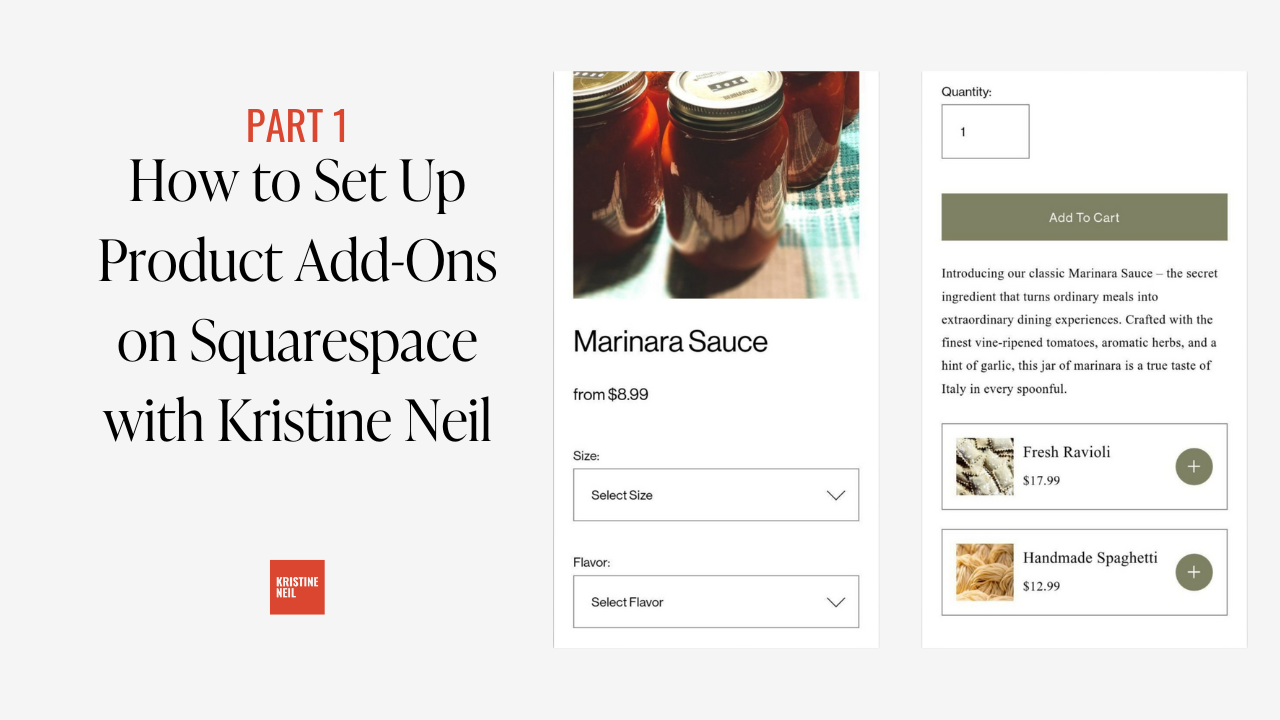
Enable product add-ons like gift wrapping to boost order value. Used strategically, this Squarespace feature can help you increase profit per sale without doing any sleazy selling.
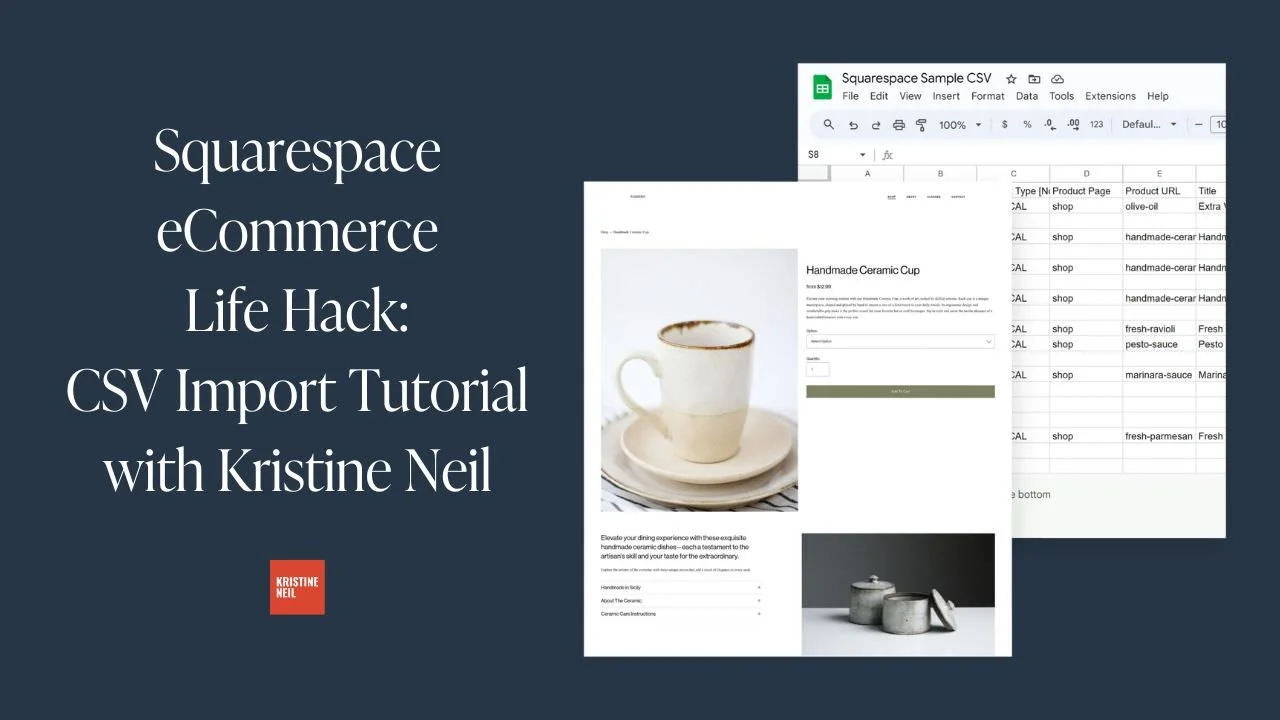
Use CSV files to bulk upload inventory or edit products saving hours of manual data entry time. A few tweaks in a spreadsheet lets changes ripple across your catalog instantly. Magic.
Integrate a return management platform like Aftership for smooth returns keeping customers happy. Automation and tracking removes headaches for merchants.
Create automatic post-purchase and shipping emails to delight customers. Personalized messaging post-sale improves perception of your brand.
Configure customer profiles and purchase history for personalized communication at scale. Data and insights on buyers allows tailored customer service.
Implement TaxJar to automatically calculate sales tax by location, taking the guesswork out of all the insane tax rules. Accurate totals at checkout build trust (and keep you out of trouble with the IRS)!
Take advantage of built-in functionality for discounts and promotions letting you easily highlight deals. Special offers encourage purchasing urgency.
By mastering Squarespace’s built-in capabilities, you can save hours a week previously lost in spreadsheets, notes and manual processes. Operations become streamlined. Tax and accounting simplify. And you gain time to focus on growing the business.
The result is the ultimate merchant toolbox allowing even the smallest of teams to nimbly manage big businesses. Let me show you how with tailored guidance on the settings and workflows that alleviate ecommerce headaches at scale.
How's this? I aimed to highlight more specific features including your recommendations on add-ons and apps. Let me know if you'd like me to elaborate on any aspect more to turn this into a true standalone guide.
Blog Posts about Squarespace Store Management





Videos about Squarespace Store Management
Common Squarespace Store Management FAQs
-
The secret here is to use Squarespace categories and, to a lesser extent, tags. By grouping products together in categories, you can provide a logical way for customers to discover your products and find what they’re looking for faster. Think of categories as the departments of a department store (men, women, shoes, jewelry, etc.) or aisles of a grocery store (produce, canned goods, dairy, freezer, etc.).
If you have a lot of products, it’s also really helpful to create nested categories. This allows people to drill into a broad category and see a filtered view of products in a subcategory. If you’re using our grocery store example, above, you might have a main category called “Produce” and subcategories underneath that for vegetables, fruits, etc. On Squarespace, you can have up to three levels of shop navigation in total.
Tags are also helpful for grouping things that appear in different categories so think of things like tagging by season, collection, vendor, color, fabric type or other attributes that might be meaningful to your customers and relevant to your products.
Strategic organization empowers you to efficiently locate, update or showcase segments of inventory as needed, especially as your store’s offerings grow. Learn more about categories & tags in this post.
-
Built-in Squarespace functionality allows you to configure flat rate or weight-based shipping rates, present accurate pricing in cart, automatically print shipping labels, and send delivery confirmations and tracking info to customers. Extensions like EasyShip or ShipStation then provide additional optimizations like rate shopping across carriers, batch label printing, custom pack station integration and more.
Shipping can get pretty complex which is why I recommend a super simple shipping strategy that’s also very highly converting. One of the biggest questions I’m often asked is whether it’s worth it to offer free shipping? The answer is an unequivocal yes! Here’s why:
Free shipping is super simple for buyers to understand ✅
Free shipping has become an expectation for many shoppers ✅
Free shipping can reduce cart abandonment rates ✅
Free shipping can increase conversion rates ✅
Free shipping can reduce customer service costs for returns (if things ship for free there’s no reimbursement of shipping costs) ✅
Squarespace makes it easy to set up a profitable shipping strategy, especially when paired with a shipping extension. For more on how those work, check out this post!
-
Adding some strategic discounts into the mix can be a great way to drive sales and delight customers. But before dreaming up any promos, decide if deals jive with your brand vibe, as I break down in this post.
Assuming discounts get the green light, Squarespace makes it easy to set them up. You can offer percentage off or dollar amount discounts that are applied automatically or via custom coupon codes. You can even have codes and discounts targeting all orders, only specific products or even specific categories. You can get all the specifics in my discount rules post.
The one thing to remember when constructing your coupon lineup is that simplicity rules. You can spotlight free shipping, limit usage, set expirations and automate applications to reduce friction. You can time launches around occasions like new product releases or changing seasons to leverage buzz.
But avoid overdoing it. You don’t want to risk training buyers to only purchase when discounted, especially if you have a luxury or more exclusive brand. Consider separate sales sections or showing offers only once abandoned.
Sending targeted emails to specific customer segments as opposed to publishing codes publicly can create a sense of exclusivity and also help you grow your email list! For more on strategizing sales, check out this post. With the right blend of discounts and timing, you can bake up some serious sales success!
-
Squarespace offers robust tools for tracking customer details and site analytics right within your backend, eliminating the need for a separate CRM system. Take advantage of:
Automatic customer profiles that compile key metrics like lifetime spend, order history, and communication records into easy-to-access individual overviews as covered here.
Custom tags to manually indicate preferences, history and other traits to enable personalized communication at scale.
Saved customer segments based on criteria like first-time buyer status or product interest so you can target relevant offers.
Integrated analytics dashboards visualize macro trends related to traffic sources, audience demographics, popular products, sales velocities and more as outlined here.
Exportable reports help uncover granular insights that inform marketing campaigns, inventory decisions and new product development.
By centralizing audience data and past interactions within Squarespace’s elegant interface, you gain an invaluable merchant toolbox. No need for complex software when the insights required are already at your fingertips! For even more on Squarespace analytics check out this post!
Top 3 Squarespace Store Management Resources

Aftership Returns
Discerning customers know to look for a generous return policy (and easy returns process!) before making a purchase so implementing a program such as Aftership Returns is as much about landing the sale as it is managing returns. But, hey, it’s a win-win.

Squarespace App
Manage your store on the go with Squarespace’s free app! Available for Android or iOS, the Squarespace app allows you to manage & fulfill orders, make quick website edits, accept in-person payments and even act as your POS system.
ConvertKit
Following up with customers is super easy thanks to ConvertKit’s built-in Squarespace integration. If there’s one tool that you add-on to extend Squarespace’s built-in capabilities I would say it’s this one. (Check out this post about for more on this perfect power couple.)

Squarespace Web Design: Crafting Irresistible Site Styles
The goal: craft a storefront and Squarespace eCommerce website experience so captivating, shoppers won't be able to tear their eyes away. I'll help you style up shop experiences that stop scrollers dead in their tracks. Consider yourself the next Squarespace web design pro!
The goal: craft a storefront and Squarespace eCommerce website experience so captivating, shoppers won't be able to tear their eyes away. I'll help you style up shop experiences that stop scrollers dead in their tracks. Consider yourself the next Squarespace web design pro!
My Take on Squarespace Web Design & Style
Stunning yet conversion-focused ecommerce design is both an art and a science. The goal is to craft a visual experience that gets people paying attention while also removing any friction standing between desire and purchase. Don’t worry, it’s not as tricky to balance as it sounds!
To me putting this into practice just means that eCommerce website owners need to pay attention to both the obvious things we think about when it comes to design & style… and the not so obvious. What do I mean by that?
Well, obvious things are things like which template to choose, how to design your brand, or using code to customize your site so it feels special.
Not so obvious things are those that generally seem to fall into the category of user experience and might impact how we design sites to be more accessible or empathetic.
Design also encompasses things like site navigation and one of my favorite tips to help level up basic eCommerce sites is to simply change your navigation! It’s easy to fall into the trap that your site needs to feature links to pages like About Us, Our Story, Our Blog and Contact Us. These are all good pages to have (and they’re perfect for your website footer) but by simply changing your site navigation to be more customer-focused you’ll instantly see an uptick in interaction. The easiest way to do this is to simply turn your shop categories into your main navigation items!
When it comes to selling online, some of the best design advice is to just not overdo it! Create a brand that allows your beautiful products speak for themselves. In 2024, consumers are on to gimmicks and crave real-ness and authenticity. If you do want to trick things out just a bit, there are some plugins that I often use to just add a few special touches to sites here and there. Just don’t go crazy with them!
Keep product page layouts simple to help keep things focused on that all import Add To Cart button. Write product descriptions that focus on your customer’s motivations and benefits to them. Unify your product photos in style and in composition so that they feel like your brand.
The end result is a Squarespace eCommerce site experience with substance behind the style—a website equipped not just to attract dream customers, but convert them into loyal, repeat buyers. This means crafting accessible, frictionless journeys that guide customers seamlessly from discovery to purchase.
Blog Posts about Squarespace Web Design & Style


Videos about Squarespace Web Design & Style

Common Squarespace Web Design & Style FAQs
-
Yes and no. You can (and should!) definitely style your checkout page so that the style matches the rest of your site. You can find your checkout page by going to WEBSITE and scrolling down to SYSTEM PAGES > CHECKOUT.
However, aside from adding a custom order form, you cannot make any changes to the cart page itself (the one where people enter their information + credit card info). This is for security reasons and helps make sure that people can shop safely on your site knowing their info is secure.
-
This really depends on your own goals and situation. If you’re ready to get going ASAP and don’t want to waste any time, a paid template can help you get to launch day super fast while still ensuring designer-level results on a budget. Some of my favorite templates are always from either Ghost or GoLive.
If you have a little more time on your hands, starting from one of Squarespace’s free templates can be a good way to learn how things work. This is also a way to help control the cost of Squarespace website setup. I have several posts with some of my top template picks here, here and here.
The last option is actually my preference is actually to skip both of the above and design your own template! All the details on that here.
-
When it comes to choosing design assets like fonts and colors for ecommerce sites like a pro Squarespace site designer, stick with options that appeal to a wide demographic rather than niche stylistic tastes. Why? Research shows that customers make subconscious judgments about a brand’s trustworthiness and quality within just 50 milliseconds (!!) based only on visual factors like color and typography.
Web Design Font Tips - Clean, simple sans-serif fonts tend to test best for conversion across sites. They have a modern, minimalist look and feel that aligns with strong brands. Try font pairs like Open Sans or Lato for an accessible option.
Web Design Color Tips - Neutral, desaturated palettes lend an air of sophistication while still allowing accent shades to stand out. Composed schemes also align better with photography. And unless they are part of your (carefully curated) brand color palette, avoid jarring choices like neon hues and that may land as unprofessional or loud.
The goal is maximizing universal appeal through design choices backed by data and trends. Select assets that reflect the style and quality customers expect from reputable ecommerce brands selling desirable products - like yours!
-
When it comes to ecommerce design, rookie mistakes can cost you sales. Steer clear of these blunders that even some seasoned site owners make:
Choosing a template based only on looks - make sure it also aligns with your brand and has space for key pages and content.
Overloading every page - keep it clean and minimum. Fancy animations and effects often distract more than dazzle.
Blocking ADA accessibility - ensure your site works for all visitors through standards like alt text, color contrast, and useful image alt text.
Ignoring mobile - most shopping happens on phones now. Test for responsiveness and slim menus/content.
Forgetting the footer! - place essential secondary pages like Contact and FAQs down there to keep prime real estate for spotlighting products.
As always, the key is balancing visual flair with utility and conversion. When in doubt, minimal is best!
Top 3 Squarespace Web Design & Style Resources

Accessibe
Did you know that the vast majority of digital accessibility lawsuits in 2023 targeted eCommerce businesses? The solution to ensuring legal compliance is Accessibe. Of course, it's also my absolute favorite tool to ensure sites can be viewed by shoppers of all abilities! (More on designing for accessibility in this post.)

Ghost Plugins
Whenever I’m looking for a little code snippet to spice things up, Ghost is my first stop. In addition to the free plugins, they also have really high quality paid plugins for more advanced tweaks and sleek, modern Squarespace templates.
Use code KRISTINENEIL for 10% off paid plugins & templates.
SquareKicker
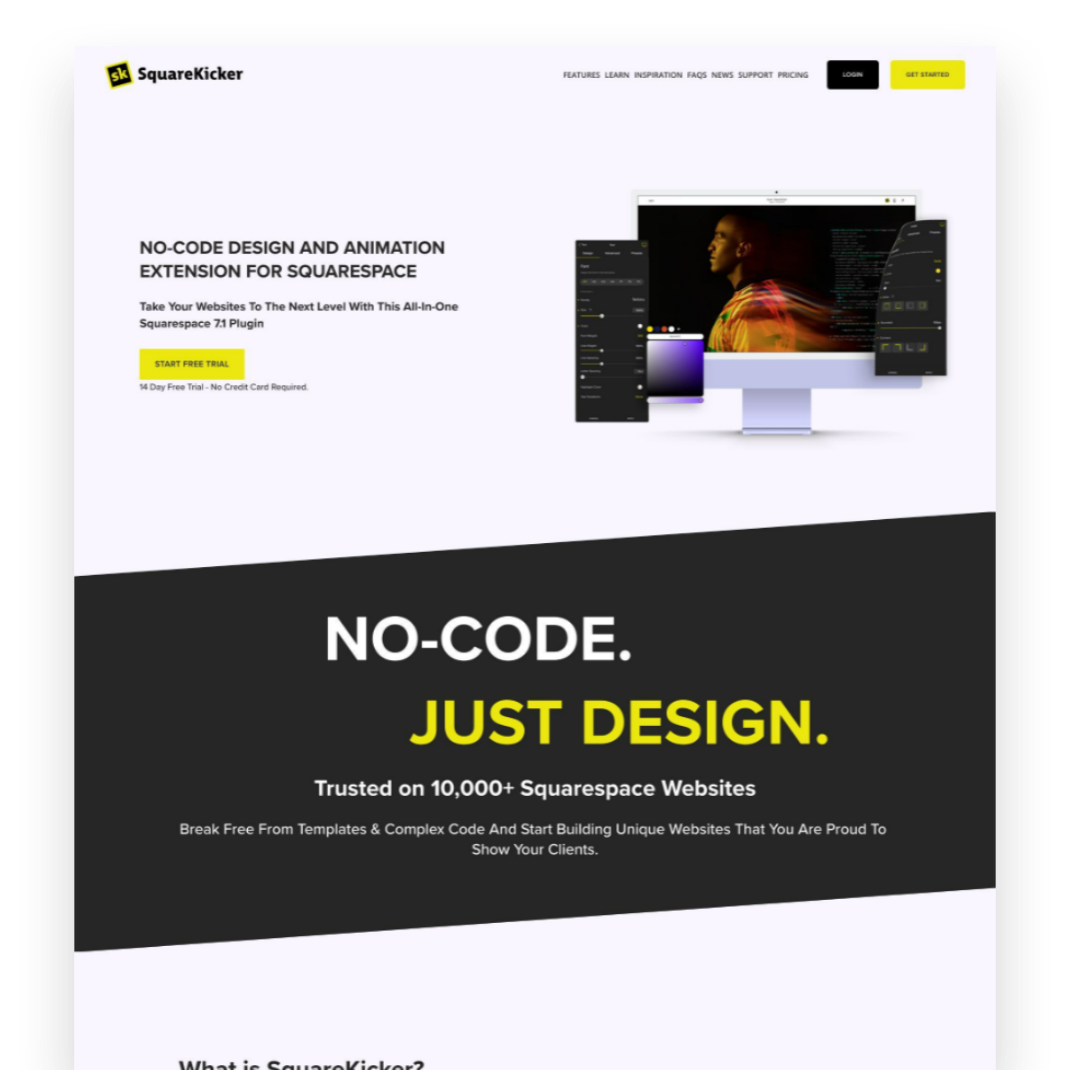
Custom design without code? It’s easy - and fun - with SquareKicker to create visually interesting layouts with special effects that layer seamlessly on top of Squarespace’s built-in capabilities.

Kristine Neil
Fractional Web Partner
I'm Kristine Neil - a communications strategist who has spent 20+ years designing websites, first running a full-scale design and marketing agency, and now leading my own studio. I've been the creative director managing the work, the coder quietly fixing what others couldn't, and the strategist in the room asking why before how. Somewhere between the MBA and the other degrees, I decided web design was just one tool in a much bigger toolbox - the real work is figuring out what you're trying to say, who needs to hear it, and what's getting in the way. A website is just where all of that comes to life.
I build on Squarespace, and after years deep in the platform I know how far it can go and when to push past its limits. These days, I'm especially drawn to working as a fractional partner - getting to know an organization over time and helping with whatever moves them forward, whether that's a full redesign, an ongoing hand with content and strategy, or just being the person who knows their site best. I write here about eCommerce, web strategy, and making the complex feel a little more human.
Everyone's racing to replace buttons and sliders with a blank chat box. Here's why that's a downgrade - and why some friction is actually information.