

Notes on building smarter websites for actual humans.

Top 5 Squarespace Shop Mistakes & How to Fix Them
Squarespace makes opening an online store smooth but scaling operations takes strategy. This post reveals the top 5 store management mistakes that may be hurting your growth and actionable ways to get back on track.
Listen, I get it. Setting up an online store via Squarespace offers a ton of out-of-the-box simplicity compared to tackling site design and a pile of code, and the beautiful templates and intuitive CMS make opening up shop online a breeze.
But don’t let that ease fool you - scaling eCommerce operations into a high-performing machine still takes savvy strategy. Without thoughtful setup and smart management choices, what seems straightforward can quickly snowball into an overwhelming headache.
Over my years building websites and consulting for scaling entrepreneurs looking to unlock growth through eCommerce, I’ve seen merchants make some common Squarespace store management mistakes that shoot future success in the foot.
Lucky for you though, these pitfalls are avoidable if you know what to watch out for! In this post, we’ll review five frequent problem areas and - more importantly - how to course correct.
Mistake #1
Improper Inventory Tracking
Without careful record keeping, items get lost in distribution centers and warehouses faster than a banana bread disappears at a farmer’s market.
Problem: Failing to thoughtfully organize inventory into Squarespace’s categories, tags or other filters makes scaling untenable. Plus not actively monitoring stock levels and reordering timeframes means unpleasant sell outs and scrambling to restock hot items.
Outcome: You can’t find product inventory when needed for an order. Items sell out and diehard customers get turned away empty handed. Massive revenue opportunity cost.
Solution: First, logically segment your catalog with categories and nested subcategories so both you and shoppers can navigate quickly at scale. For example, categorize apparel by type (shirts, pants), further broken down by style (casual, dress), gender, brand, etc.
Monitor best selling items and set minimum stock alerts tied to reorder timeframes by leveraging Squarespace’s built-in analytics and integrating an inventory management extension. Data is your friend!
Mistake #2
Complicated Shipping Options
Free shipping or no free shipping? Zones or flat rates? Tiered pricing by item cost or calculated by carrier? Decisions, decisions.
Problem: It’s easy to get excited by Squarespace’s expansive built-in shipping functionality and go overboard configuring a confusing spider web of custom rates, surcharges, and limitations. But this complexity quickly becomes a barrier preventing checkout and you’ll start to see abandoned cart rates skyrocket.
Outcome: Customers bounce from cart when they can’t clearly understand shipping fees or find an option that seems reasonably priced. Plus you sink unnecessary hours fielding customer service inquiries trying to explain variances.
Solution: I cannot stress enough - simple is best! Studies show free shipping dramatically increases conversion. So make that your hero offer as much as possible by baking modest shipping costs into base prices.
For supplementary paid shipping, configure just 2-3 flat rate tiers based on cart value brackets like under $50, $50-$100, and over $100. Publish handling times by common carriers. Be transparent upfront to set expectations. (p.s. This is all great info for an FAQ page.)
Mistake #3
Discounts Devaluing Products
Everyone loves a deal, there’s no doubt about it. But the lure of juicing short-term sales through discounts often backfires over the long haul.
Problem: Rather than special limited-time or targeted offers, you fall into the trap of keeping items perpetually “on sale” through sitewide promo codes plastered on your site.
Outcome: Customers quickly become trained to only purchase when receiving a discount and abandon carts or hold off buying items at full retail value. Your products seem meaningless without deals.
Solution: Shift promotional focus from widespread price cuts to exclusivity. Highlight specialty collaborations driving scarcity. Use segmented emails with special subscriber sales. Offer new customer discounts but fade them over time through customer lifetime value marketing.
Sparingly advertise discounts around seasonal launches or holidays using banners - then quickly revert back to regular prices. You want to seem generous at times without eroding product value. (Check out this post for more pricing psychology tips.)
Mistake #4
Gaps in Inventory & Order Visibility
With countless product details and customer orders to track daily, it's easy for gaps in visibility to emerge if you’re not proactive.
Problem: Relying on manual spreadsheets and notes rather than a centralized system leads to order processing delays, inventory blindspots, lack of customer purchase history, and more.
Outcome: You oversell out-of-stock items, mishandle customer data, respond slowly to fulfill orders without a 360-degree view. And with no analytics insights, you miss sales trends.
Solution: Eliminate blindspots by centralizing critical info and workflows into Squarespace’s stock tracking, order management, and customer profiles. Standardize order processing procedures. Export analytics reports to make smart decisions based on data.
Staying on top of the details can help you know when to cut items from your inventory, understand which customers purchase most often and help you streamline your back office procedures. Start leveraging the platform tools available to you!
Mistake #5
Transactional vs. Personalized Customer Experience
In the early days of your business, my guess is that you were on a first name basis with every shopper. And while growth is good, it’s easy to forget how important personalization was in making it all happen.
Problem: Once you scaled, customers became faceless transactions rather than unique individuals with preferences and a previous purchase history with your brand.
Outcome: Failure to make shoppers feel special can send them elsewhere to shop, which also means you miss out on referrals and community enthusiasm from loyal brand advocates.
Solution: Tap back into the CRM power built right into Squarespace like saved customer profiles and order data. Segment users by lifetime value bands so your VIP shoppers feel appreciated through special treatment and exclusive offers.
Send post-purchase surveys to identify pain points requiring attention across the buying journey. Personally respond to negative reviews. Have loyalty or affiliate programs that foster community among top fans.
Remember - personalized customer experiences drive measurable revenue gains, increased retention, valuable insights, and free word-of-mouth promotion! Don’t leave that money on the table.
Bottom Line
While it's easy to fall into these common eCommerce pitfalls, the good news is that they are all avoidable with a bit of diligent preparation and process focus upfront. Leverage the tools already available in your Squarespace platform and think proactively. Carefully organize behind-the-scenes workflows just as thoughtfully as you design the customer-facing storefront. Monitor key metrics. Continuously gather feedback. And never lose sight of the individual people who make this business possible - your customers!
By taking the time to purposefully streamline operations and experiences, you equip your brand for scalable, sustainable growth. So be confident in your path forward, learn from mistakes, and continue delighting shoppers - that's the recipe for long-term eCommerce success.

My Most Recommended Squarespace Shipping Strategy for eCommerce Success
Are customers tired of your surprise shipping costs? Discover my most recommended shipping strategy for Squarespace that will increase your average cart values and provide a seamless shopping experience. Say goodbye to surprises and boost your eCommerce success with Squarespace shipping.
Watch The Video
READ THE POST
Are your customers abandoning their shopping carts without completing a purchase? It's possible that your current shipping strategy is working against you! If you want to improve abandonment rates, increase your average cart values, and provide a seamless shopping experience on Squarespace, look no further than my highly recommended shipping strategy. In this post, I'll guide you through the steps of setting up this conversion-optimized shipping strategy on Squarespace. Not only will it boost your sales, but it will also leave your customers super happy. That’s what we call a win-win!
The Importance of a Free Shipping Offer on Squarespace
Setting up a free shipping offer is the key to encouraging customers to buy more on Squarespace. By providing a flat rate shipping option and allowing customers to bypass it by spending a certain amount, you eliminate any surprises and reduce friction in the cart. Customers won't feel nickel and dimed when they see the shipping cost, and they'll appreciate the added value of getting something for their money. Plus, this strategy will ultimately increase your average cart values, benefiting your Squarespace business in the long run. This is seriously a win-win strategy all around!
Step-by-Step Guide to Setting up Squarespace Shipping with My Recommended Strategy
Let's dive into the details of setting up Squarespace shipping. Start by determining your current average cart value on Squarespace. For example, let's say it's $50. Your goal is to entice customers to spend a little more, so consider setting a free shipping threshold slightly higher than your average, such as $70. Customers who don't meet this threshold will be offered a flat rate shipping cost, which covers the bulk of your shipping expenses.
To implement this strategy on Squarespace, follow these steps:
Go to your Squarespace settings and navigate to the shipping section.
Set up two flat rate options: one for the affordable, slower shipping option, and another for the faster upgrade option. For example, you can offer priority mail for $9.99 per order as the flat rate option on Squarespace. Be mindful of your shipping zones and consider limiting shipping to specific regions to avoid incurring high costs. For instance, you may choose to ship only within the United States on Squarespace.
In addition to the flat rate options, give customers the choice to upgrade to express shipping on Squarespace. This caters to those who value faster delivery and are willing to pay a premium for it. Offering an express shipping option, such as UPS second day air for $18.99, taps into the mindset of customers who are accustomed to quick deliveries from major online retailers.
Offering Free Shipping as an Incentive on Squarespace
Now, let's talk about the highlight of this strategy on Squarespace: the free shipping offer. Create an automatic discount for orders that meet the minimum spending threshold (e.g., $70) on Squarespace. This discount will remove the flat rate shipping cost, providing customers with free shipping as long as they choose the priority mail option. Make sure to communicate this offer clearly during checkout on Squarespace, so customers are aware of the potential savings.
To further promote your free shipping offer on Squarespace, utilize marketing tools like the announcement bar. Enable this feature and prominently display the message "Free shipping on orders over $70" along with a call-to-action like "Shop now." This clickable bar will redirect customers to your Squarespace shop, ensuring they don't miss out on the opportunity to benefit from the free shipping offer.
Enhancing the Shopping Experience on Squarespace
By following these simple steps on Squarespace, you can set up my most recommended shipping strategy and enhance the shopping experience for your customers. No more surprises at checkout, no more feeling nickel and dimed. Transparency and the allure of free shipping will entice customers to spend a little more on Squarespace, ultimately boosting your sales and average cart values.
Give this strategy a try on Squarespace and let me know how it works for you. Happy shipping!

Squarespace Holiday Selling Guide: Boost Your eCommerce Success
Are you ready for the 2023 holiday selling season? Discover 10 essential tips and strategies to maximize your eCommerce success on Squarespace. From chat widgets to free shipping and personalized checkout forms, my comprehensive guide will help you navigate the holiday rush and boost your sales.
Are you ready for the 2023 holiday selling season? The holiday shopping season provides a huge opportunity to bring in business from new and returning customers, and it's the most wonderful time of the year to spread some holiday cheer while boosting your sales. There’s a reason it’s called Black Friday, after all!
We all know that Black Friday and Cyber Monday are known for incredible deals and major discounts, setting the stage for a frenzy of shopping both in real life and online. The weeks between Thanksgiving and New Year's Day are the most hectic time of the year for brick-and-mortar retailers in the U.S., but eCommerce sellers tend to have a much longer crazy period. (In 2022, Black Friday generated a record-breaking $10.8 billion in online sales, making it the largest online spending day in U.S. history. Not to be outdone, Cyber Monday recorded a staggering $11.0 billion in online sales, surpassing Black Friday as the top online spending day ever.) What’s important to note is that the holiday season has expanded way beyond the traditional Thanksgiving weekend, encompassing the entire period from late November to early January. Shoppers now spread their purchases across several weeks and months, making it crucial for businesses to maintain consistent marketing efforts and be at the top of their games throughout the entire season.
To get ahead of this months-long holiday rush, here are my top 10 tips to get your brand ready for the season:
1. Have a Clear Return Policy (& Offer Free Returns)
One of the best eCommerce tips I can offer is to have a clear return policy and offer free returns. This will increase online sales, build trust with customers, and reduce abandonment rates. Customers may feel hesitant to make a purchase if they think they won't be able to return it if it's not what they expected. In fact, I've personally decided not to shop with companies that don't offer returns or exchanges. This time of year is a great opportunity to make sure your return policy is clear and easy to use. You don't want to be the scrooge that ruins a great experience with your stingy policies! For more information on setting up a self-serve returns portal, check out this post!
2. Offer Free Shipping
It's no secret that customers love free shipping, especially during the holiday season. This is why it’s a cornerstone of my most recommended shipping strategy! Even if you don’t do it the rest of the year (even though you should) offering free shipping as a way to incentivize shoppers to make a purchase is a great idea during the holidays. You can choose to provide free shipping on orders over a specific amount or for a limited time. This strategy not only encourages customers to buy but also eliminates any hesitation they may have due to additional shipping costs. Spread the holiday cheer by offering free shipping!
3. Turn on Afterpay
Many people prefer to spread out their purchases over time without relying on credit cards. It's similar to how your grandma might have put something on layaway at Kmart in the summer and paid it off over several months just in time for Christmas. However, with Afterpay, customers receive their order right away and pay Afterpay back over time. (Don't worry, you still receive 100% payment up front!) To learn more about how Afterpay works and how to enable it on your shop, check out this post.
4. Add Gift Cards
Gift cards are a fantastic option for shoppers who may be unsure of what to buy or prefer to let the recipient choose their own present. Some people think that gift cards are impersonal but I say that’s only true if the gift card is from a big box retailer. People LOVE shopping with small brands so consider adding gift cards to your product offerings. You can allow customers to purchase gift cards directly from your website by simply adding a new product and choosing the gift card option. This not only expands your sales opportunities but also caters to a wider range of customer preferences. Spread the joy of giving with the flexibility of gift cards.
5. Use Your Announcement Bar
The announcement bar on your website is valuable real estate for sharing important information with your customers. During the holiday season, make the most of this space by displaying enticing offers, shipping cut-off dates, or any other promotions you want to highlight. Captivate your visitors' attention and drive them towards making a purchase by leveraging the power of your announcement bar. 💡Bonus tip: if you’re looking to jazz up your announcement bar, I love this code from my pal Becca!
6. Reward Loyal Shoppers
Last Christmas, my family and I did a “favorite things” party instead of traditional Christmas gifts. The point was to share a little something that you used and loved throughout the year. The gifts weren’t necessarily huge or fancy - a really great pair of socks, a jar of someone’s favorite local-made hot sauce, another person’s must have scented candle. The point is that this is the time of year people are looking to the brands they already know and trust for gifts. Rewards could be simple (a special coupon code sent out to your VIP customer list) or more complex (I’m loving Offerwhere for a loyalty program that integrates amazingly with Squarespace) - whatever works best for you!
7. Add a Chat Widget
The holiday season can get pretty hectic, and this is when providing exceptional customer service is mission crucial. A chat widget (my favorite is LiveChat - all about that here!) can be a game-changer. By implementing a chatbot on your website, you can quickly address frequently asked questions, guide customers through the checkout process, provide product recommendations, and offer support in real-time. This efficient tool will help your customers feel heard and attended to, even during the busiest shopping days.
8. Offer Local Pickup
Even in the world of eCommerce, supporting local customers is important. By offering a local pickup option, you provide convenience to those who prefer to avoid shipping costs and long delivery times. Local pickup also gives you the opportunity to connect with your community and foster a sense of local pride. Don't forget to highlight this option on your website and let your customers know they can shop local even in the digital realm. For more on this, check out this post on how to set up local pickup or curbside delivery on Squarespace.
9. Add a Custom Checkout Form
Personalize the gift-giving experience by adding a custom checkout form to your website. This is such a simple way to allow customers to include a heartfelt gift note with their orders or offer them the option to add gift wrapping, if you offer it. Don’t forget, for those who want their purchases shipped directly to recipients, at checkout customers can enter the recipient's address in the shipping section instead of their own. You could use a custom form to allow people to indicate that the order is a gift and to not include any billing info along with the shipment. This small touch goes a long way in adding a personal and thoughtful element to each order that goes out this holiday season.
10. Create Gift Guides
Holiday shopping can sometimes feel overwhelming, with countless options to choose from. (And people are notoriously bad at making decisions when given too many options.) Help your customers navigate the gifting process by creating thoughtful gift guides. Curate collections for different categories of recipients, such as "gifts for him," "gifts for kids," or "gifts for the home." Include a mix of your own products and/or complementary offerings from other brands. By providing curated options, you make it easier for shoppers to find the perfect gifts and increase the likelihood of making a purchase. 💡Bonus tip! - an easy way to create shoppable gift categories is by using tags or categories to help shoppers filter their search!
As the holiday season approaches, it's essential to prepare your eCommerce business for the bustling days ahead. By following these tips, you can optimize your online presence, engage with customers effectively, and boost your sales during this festive time of year. Embrace the spirit of the season, spread holiday cheer, and get ready for a successful sales season!

9 Ways to Recession-Proof Your eCommerce Business
Worried about the economic times we live in? Well, I can’t do much about a lot of it, but I do have 9 strategies for you to consider implementing to help ease your customer’s spending concerns - and your worried mind. From what to focus on to how to pivot, this post is full of quick wins for hard times.
Times of economic uncertainty can undoubtedly be the cause of sleepless nights. And, c'mon - it would be weird if worries about customers' ability or willingness to spend and other general financial concerns didn't get to us!
But savvy entrepreneurs have a way of always getting creative when times seem the toughest. This is where brands, especially smaller ones, get to show off their flexibility and ability to pivot in ways that giant corporations simply cannot.
For small eCommerce brands specifically, there are some quick changes you can make to your online store to ensure you can weather any financial storm that may lie ahead. In this post, we'll explore practical ways to recession-proof your eCommerce website. We will discuss strategies for rethinking marketing, focusing on customer retention and inventory management. Bonus: these are all relatively easy-to-implement, low or no-cost ideas you can implement immediately to boost average cart values, deal with lower conversion rates and cope with less traffic to your site. Let's dig in!
Add subscriptions to your mix. If you find that customers routinely return to your shop to buy the same products repeatedly, make it easy for them by offering those same products as a subscription. Offer a discount versus paying for the same products or services piecemeal. Not only will your customers enjoy the savings and added convenience, but you'll also be able to add recurring revenue to the books.
Don't give up on your free shipping offer. I cannot preach enough about the importance of a free shipping offer. If you must rethink pricing, preserve and protect your free shipping offer with your life. Price-sensitive customers hate feeling like they were nickel-and-dimed over shipping fees and like thinking they're getting a great deal. Better yet, a free shipping option for orders over a certain amount helps boost your average cart values and reduce abandoned cart rates by people surprised by shipping costs.
Focus on customer loyalty. You know that saying about how acquiring a new customer costs more than keeping an old one? It's true. With the prospect of smaller average cart values or less traffic overall due to tightened budgets, focus on customer loyalty first and foremost. You can do this in many ways, such as setting up a loyalty program that allows customers to pay for purchases with earned points or perks.
Rethink marketing. You can reduce wasteful spending and boost revenue by cutting back on digital paid spend and going straight to the horse's mouth. Rather than continuing to invest in expensive paid advertising, consider shifting your focus to utilizing customer data to guide your marketing decisions. Consider leveraging the power of small influencers (or even your own satisfied customers!) to help spread your message. Another idea is to explore collaborations with relevant brands and creators and consider offering products as gifts to small influencers to help build brand awareness.
Manage inventory better. Does it seem like there's always either too much or too little stock on hand? If you need help with the former problem, try focusing on building industry partnerships or collabs to introduce your products to new markets. If the latter is more of your issue, it might be time to start looking for new suppliers closer to home or sourcing from multiple suppliers. And for all, try adding a custom label to products you can keep consistently in stock and ready to ship so customers know they can get those items right away. I've seen a few brands do this or even create whole "Quick Ship" categories, and I think it's such a great idea!
Focus on your brand. To make the most of limited resources, prioritize establishing a solid brand. This involves ensuring consistency in your message, tone, and visual identity, as confusing branding can hinder customer conversion. Additionally, take time to evaluate and improve your customer service and clearly understand your target audience. Remember that you can't appeal to everyone, so focusing on a segmented marketplace actually allows you to best serve your core customers.
Boost customer confidence on the product page. Optimizing your product details pages can impact your bottom line in two ways. First by increasing customer confidence in their purchase decisions and second by reducing costly returns. Be sure to include detailed and comprehensive product descriptions that accurately convey the features and benefits of the product. Incorporate video - especially 360-degree views that allow customers to thoroughly examine the product from all angles and better understand what they can expect. Also, ensure you're displaying customer reviews, as they can help build trust and provide valuable insights into the product's performance and suitability. (For more tips on optimizing your Squarespace product pages check out this post!)
Incorporate user-generated video. Studies have repeatedly shown that videos (especially short videos that answer the question "Why should I buy?") are great conversion tools - but video production can be overwhelming and expensive. Luckily, videos from past customers are just as helpful as content you might produce on your own - acting as part social proof and part explainer video all in one.
Expand local pickup & delivery options. If you're an online seller that also offers in-person buying opportunities, the Venn diagram of online customers and in-person customers probably has a ton of overlap. Offering local pickup options (and/or delivery if you can swing it) has a few benefits. First, it's generally faster and cheaper than shipping goods, which can appeal to shoppers on a budget. Second, it allows you to build stronger personal relationships with your customers and invite them to explore other offerings they may have yet to consider. Don't have a brick-and-mortar location? Try teaming up with another local business that does and see if they'd be open to allowing your customers to pick up from their location - this could be a win-win for both companies!
Silver Linings
Looking at the list above, I see a few themes that may just be the silver linings. One of the biggest is that, in many ways, while eCommerce opens up the whole world to us, locality still matters. Whether we're sourcing products from suppliers closer to home, building relationships with micro-influencers, or offering ways to bring online convenience to brick-and-mortar shopping - I love to see it!
Also, let's be honest: only some businesses have the strength or fortitude to ride out a downturn. While that's definitely sad, it also opens up opportunities for newcomers to the market to step in and fill in the gaps. Starting a business in a downturn can help you seize market share and build a strong foundation coming out the other side. If you've been sitting on a big idea, this may be just the time to take your shot.

10 Simple Ways to Prep Your eCommerce Shop for the Holidays
Getting ready for holiday sales doesn’t have to be overwhelming! The 10 simple things on this list will help you make sure that you’re ready for the influx of orders and inquiries that come with running an eCommerce business this time of year.
If you’re looking to make sure that your site and store are all prepped and ready for online sales this holiday shopping season, you’re in the right place! Even though I personally tend to prefer a strategic product drop or flash sale that doesn’t depend on seasonality, it never hurts to make sure that your site is in tip-top shape. The 10 simple things on this list will help you make sure that you’re ready for the influx of orders and inquiries that come with running an eCommerce business this time of year!
1. Make sure you’re using Squarespace to track your inventory.
And that your inventory counts are accurate and up to date! Correct inventory counts can help you know what you need to order more of, what you should discount or put on sale, prevent overselling, and create a sense of urgency to buyers. If you sell on multiple platforms or need to sync inventory into Quickbooks for accounting purposes, try Trunk (review in this post) which keeps everything synced up automatically!
2. Customize your store’s notification & cart abandonment emails.
While this is something you want to do anyways, making sure that your emails are personalized is a great tip around holiday time. Including special information about shipping timelines or return policies can help reduce the number of customer service inquiries you receive so that you and your team can focus on fulfillment instead. Personalizing your shop’s emails can also help you build a sense of community around your brand, helping boost loyalty and repeat business. And don’t forget about your cart abandonment email! Updating it so it feels relevant to the season can make it stand out and provide a gentle little nudge to come back to your site and complete their purchase. For more on customizing your Squarespace eCommerce emails, click here!
3. Connect a shipping extension to your site to make fulfillment easier.
I mean, unless waiting in line at the post office on Christmas Eve is your thing I guess? 🤷♀️ A shipping extension is basically the friendly little office assistant you never knew you always needed. The right one will select the best courier, generate labels for you and automatically update Squarespace to mark the order as fulfilled with the tracking number. You can check out this post for a review of all the available shipping extension options on Squarespace but my fave by far is Easyship.
Bonus: sign up for a new account using code GWZMUM and get a $20 account credit. Thanks, Easyship!
4. Offer FREE shipping.
The reason behind this is simple: shipping fees kill conversions. Even if you don’t want to include free shipping as part of your strategy year-round, adding a free shipping tier will help you be more competitive during the holiday shopping season. You don’t have to give it all away, though! Use an automatic discount to limit free shipping on only orders over a certain amount. This will help boost conversions AND increase average cart value! (For more on this topic, check out How to Set Up a Profitable Shipping Strategy on Squarespace.)
5. Set up local pick-up.
If recent years have taught us anything it’s that the number of people shopping online for the holidays has totally inundated carriers like UPS, FedEx, and USPS. To prevent shipping delays causing major holiday disappointment, offer your local customers the option to pick up their online orders in person. This means they can shop right up until the last minute (something they can’t do from other online retailers who’ve had to cut off shipping for the season) and could also lead to some last-minute in-person buys. Win-win! For more on exactly how to set this up, check out this post.
6. Update your FAQ page.
I love a great FAQ page. Done right, it can help your customers find instant answers to their questions and reduce customer service inquiries about basic or routine things, freeing you up to focus on more important issues. Setting up an FAQ page on Squarespace is easy (here are some tips on how to do it!) but the most important thing is obviously the content. Anticipate the needs of your customers and make it easy for them to have everything they need to feel comfortable shopping with you.
7. Add an announcement bar to highlight shipping & promo info.
Among all the built-in features to help you sell on Squarespace, I really love using an announcement bar around holiday time to keep people up to date on shipping cutoffs, promos, or any other relevant information that might motivate them to buy. If you have a lot of info, don’t try to cram it all into your announcement bar. Instead, use that real estate to link out to your FAQ page or a landing page dedicated to holiday info.
8. Offer gift cards.
Of all the things you can sell on Squarespace, gift cards are probably the easiest to set up and make perfect sense for the holidays! While I usually move gift cards to the bottom of the heap in larger stores, during the holidays I would actually do the opposite and move them right to the top! You can even feature them in a pop-up or in a prominent place on your homepage to make them a convenient option for people looking to give an easy gift.
9. Be smart about your discounts & sales.
Even though the holiday season can feel like a total frenzy doesn’t mean that you shouldn’t take the time to be methodical in what you put on sale or what discounts and promos you plan on running. All of this is a long way of saying don’t just go marking things down or making up offers willy nilly. Start by making sure you understand how discounts work on Squarespace and then make sure to check your Squarespace commerce analytics panel.
10. Hit up your mailing list!
You’ve put in all this hard work and now it’s time to tell everyone all about it! Stats always say that it costs way less to sell to an existing customer than to acquire a new one and there’s no time like the holidays to take care of your VIPs! If you’ve been using customer profiles to track your customers and their activity throughout the year, it’s easy to add frequent customers or big spenders to a special segment of your email list. Send them things like special offers or advanced notice of sales via Squarespace Email Campaigns -- everyone loves feeling like they’re in the insider’s club!

Should You Offer Free Shipping?
Free shipping is popular but may not be the best solution for everyone. Learn when it works, when it doesn’t, and 6 strategies to explore if you’re thinking of offering it as a shipping option for your online store.
If there’s an area where every single online seller seems to struggle, it’s trying to figure out what to charge for shipping and delivery. It’s such a challenge because there’s a very fine line between a solution that eats into your profits as little as possible and one that doesn’t completely turn customers off at checkout.
I tell nearly every client I work with that they absolutely should be offering some form of free shipping. It can be a hard pill to swallow but if you consider that more than 80% of U.S. shoppers say that shipping cost (combined with shipping speed) is one of the biggest factors that influence whether they’re going to buy at all.
That’s right. Your products could be amazing and the fact that you’re charging too much for delivery that takes too long is what’s tanking your sales.
So, what is it about things like free shipping that make us all feel like we just got away with sticking it to the man? Why don’t we like transparency when it comes to shipping costs? As an online seller, what are the pros and cons of offering free shipping? How do you offer free shipping without seeing red?
As a store owner, should you even consider offering free shipping?!
Keep reading for answers to all these questions + 6 strategies to explore if you’re thinking of offering free shipping in your online store.
First, Why We All Love Free Shipping
There’s probably no better way to explain it than via meme:
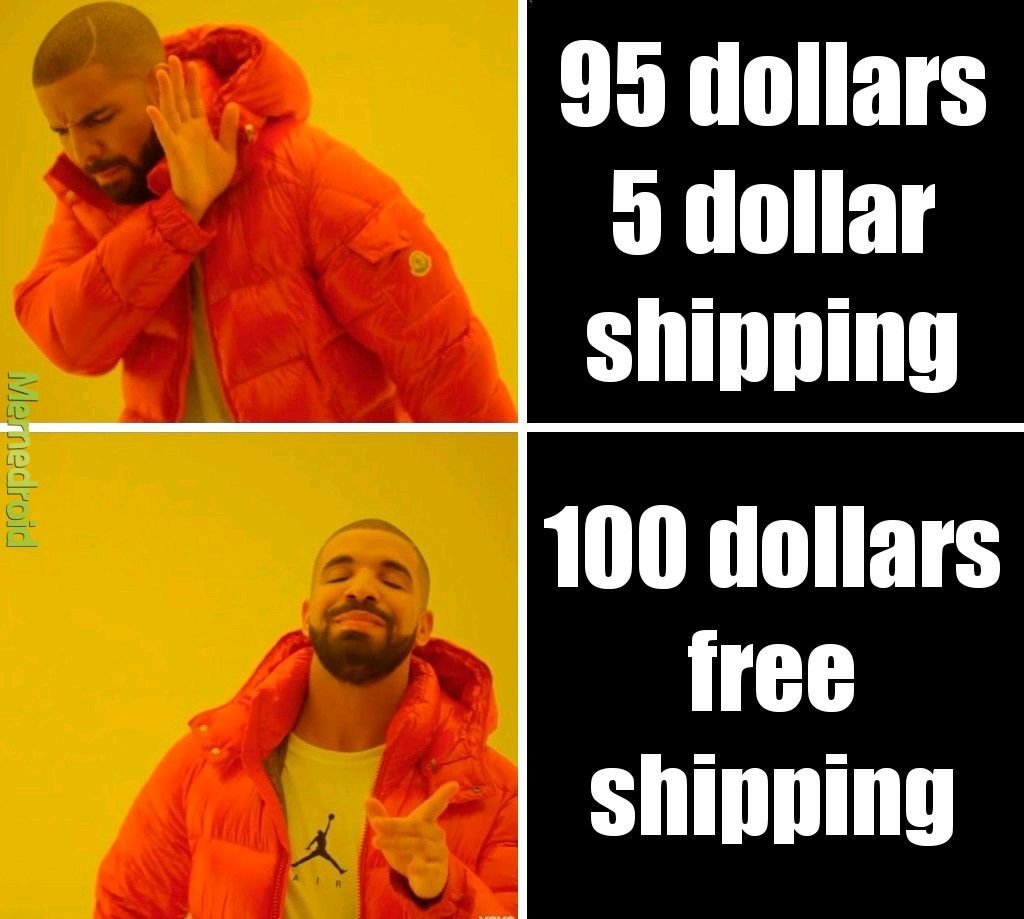
So true, right? To the average shopper, there’s just something magical about free shipping. This is probably because for most shoppers, we assigned a higher value to the cost of shipping than it actual is. (Or, transversely, perhaps we’ve undervalued the cost of whatever it is we’re buying.) Whatever it is, we like the word free. Seeing a free shipping offer is like an aphrodisiac to any online shopper - enticing us to buy things we honestly may not have otherwise.
When viewed from this standpoint, offering free shipping is really no different than running any other sale or promotion. It's a marketing tactic deployed based on the assumption that people wouldn’t buy without it. The shipping cost is just the amount of money we’re willing to spend to get the sale. (Hold this thought. We’re going to circle back to it in a minute.)
Why We Love Transparency (Except for When It Comes to Shipping Costs)
It’s funny when you look at trends in one area of business and how they compare/contrast to trends in other areas. Case in point: brands that have publicly embraced “transparency” as one of their core values are seemingly everywhere these days. There’s something raw and authentic-seeming about a company that will just lay it all out there and tell you everything: how much their CEO makes, where they source materials, how things work behind the scenes.
Instagram and social media has helped as all feel like we know the people and happenings behind the brands we shop from - and this can be a major marketing tactic.
There’s just one area it seems no one wants to see the real truth of: shipping.
I’m sure there is some psychological pricing word for this but it seems to boil down to the fact that most of us just don’t want to know how the sausage is made. We kind of just want to know the total cost and be offered some sort of guaranteed delivery date and we don’t really care how the places we buy from make that happen.
It used to be that “shipping & handling” was seen as just a necessary evil of shopping online. If you wanted something that was sold somewhere not local to you, it made sense that you’d have to pay to ship it. But we’re all too savvy & spoiled for that now. Basically, we want free 2-day shipping to apply to everything we buy ever. So the total cost matters more to us than the breakdown. We’d rather pay $30 for something and get it shipped for “free” than buy a $25 product with a $5 shipping cost.
Free Shipping Pros
Free shipping is super simple for buyers to understand
Free shipping has become an expectation for many shoppers
Free shipping can reduce cart abandonment rates
Free shipping can increase conversion rates
Free shipping can reduce customer service costs for returns (if things ship for free there’s no reimbursement of shipping costs)
Free Shipping Cons
Free shipping isn’t actually “free”
More orders don’t necessarily mean more profits
It can be hard to forecast and budget for the unknown
There may be cheaper ways to “advertise” depending on your product(s) or target demographic
Bottom Line
So, what’s the bottom line? Should you or shouldn’t you offer free shipping?
I say that if you’re a high volume shipper with products that are relatively small, lightweight, and/or similarly sized (i.e. not a lot of variation in product dims and weight) it would probably work well for you. On the other hand, if you sell products with a lot of variability in size, weight, or destination or have too low of volume to be able to average out the highs and lows, there may be better solutions (see some ideas below such as only offering free shipping on specific products, or only if a certain order minimum is met, etc.).
The last thing to consider (and I hinted at this above) is that this really boils down to a difference in mindset (and accounting). If you would like to do a promotion for free shipping or you think that offering it might help you increase the number of sales in the short term, the cost of shipping is essentially a marketing expense.
If offering free shipping is a long-term strategy or something that you just consider “the cost of doing business” then it would be considered a direct cost and classified as a Cost of Goods Sold. (BTW, just because you include it as part of your COGS doesn’t mean you can’t market it as a perk you offer on your website.)
The reason I mention this is because all too often I talk with merchants who only think of shipping costs as an expense. They then turn around and spend thousands on things like Google ads or promoted social posts. If they thought of free shipping as a marketing tool and invested in it the same way, I can almost guarantee they’d see a better ROI than any of that ad spend.
How to Offer Free Shipping And Not Lose Your Shirt
If you decide to offer free shipping, or just want to try it out for a while to see how it affects your conversion rates and the bottom line here are some tips to keep in mind:
If your product isn’t a highly commoditized one, just bake shipping costs into your product prices and just raise prices. (This is my #1 piece of advice for a reason!)
Make limitations on the shipping method that will be “free” i.e. only ground shipping is free but overnight or 2-day is an upcharge. Interestingly, people are willing to pay for express shipping so long as it is their choice to do so and they know that they had an opportunity for free (slower) shipping. In this way, any express shipping orders are a bonus since you’ve already included the cost of “free” shipping in their prices.
Offer free shipping only to certain geographic locations (sorry Alaska, Hawaii, Canada and others!)
Set a “minimum order” requirement to qualify for free shipping. This is a great way to boost average cart values as people are very often willing to spend a little more on product so long as shipping is free.
Offer free shipping only as a short term promotion for a limited period of time. This can be a good way to try it out and see how your customers respond to it.
Add free shipping as a membership perk or to reward your most loyal/repeat customers. This can give you some recurring/passive income in the form of membership payments that can then be used to offset shipping costs.
Bonus! If you decide you don’t want to offer free shipping, try these other “free” alternatives which can be just as enticing: free in-store pickup or local delivery, or free returns/exchanges.
My last piece of advice is to pick a strategy and stick with it - at least for a while. Customers will appreciate that they know what to expect when shopping with you and you’ll have enough time to gather data to determine whether your initiative was successful. You can always tweak down the road as needed. That being said, I do think that offering free shipping in some form is useful for nearly every online seller so I hope you give it a try!

eCommerce Lessons from an Online Shopper
I've been waiting my whole eCommerce career to use the line "I'm more than just an eCommerce web designer, I'm also a shopper" and the time has finally arrived.
One of my earliest memories of online shopping in its modern form was when I first discovered sephora.com while cruising the internet at the job I had during my last semester of undergrad. It was 2002 and I worked in reservations at a golf resort. In between booking hotel rooms, coordinating spa treatments and reserving tee times, I spent most of my time in my little half-cubicle online shopping.
I loved that I could see all of the things and take all the time I wanted to compare products. I had a particular fondness for “value sets” of products and often made little spreadsheets calculating what the savings were for buying a bundle vs. buying individual items separately. I was lured by free gifts with purchase. I found great joy in the unboxing of things I bought just days earlier when I probably should have been working. It was a weird transitional time in my life but also one of the first times I had a regular 9-5 job and the splurges on high-end skincare were a salve for much more than my face.
To this day, it stands in great debate as to whether I quit or was fired from that job. What is true is that it definitely set in motion my love for all things e-commerce. And it wasn’t just because I thought it would be easier to have everyone just book their rooms and spa treatments and tee times online themselves so that I could be free to shop online.
It was just that even then, from a business standpoint, I thought it would be much smarter to invest in ways to empower resort guests to make reservations themselves in the same way Sephora allowed me to browse virtually. I knew I spent way more online than I ever would in person at the mall.
There was something way less confrontational about being able to read product details at my leisure, without the pressure to buy. There was room to explore, to discover, to truly take it all in. Whether booking hotel rooms or buying designer perfume, it was novel then to be given the authority to manage things yourself and I liked it.
Around this same time, there were the cries from small businesses everywhere that online shopping was either going to kill brick-and-mortar altogether, or that it was just a fad not worth investing in. The vestiges of these beliefs exist to this day - less so for startups who tend to be more open to seeing the value in technology - but definitely in the small business sector. You either see yourself as a local business that only serves other locals and therefore has no need for a website… or you understand the power of ecommerce but are not sure where you fit into the whole scheme of things.
Interestingly, in a new role sometime after the end of my storied stint at that resort I did go on to work for a company where I was given the opportunity to actually develop an entire eCommerce platform. I didn’t necessarily have any professional experience in the field yet but I had the overconfidence that comes with being fresh out of college and someone willing to give me a chance. If I knew nothing else, I knew that so long as I built interactions that would satisfy me as an online shopper that there was a pretty good chance it would resonate with others. I was right. That platform is still in use to this day and generates multiple millions of dollars for the company every year.
Here are some lessons from my early days as an online shopper that are still just as relevant today and which have now been thoroughly vetted through my involvement in successfully bringing hundreds of businesses to life online, many for the very first time:
1. Constantly give me new things to look at and explore.
If you want me to keep coming back to your site time and time again, you better give me some exciting reasons to do so. Change up that homepage hero banner and link it to some fresh content. Create a “new” category in your shop so that I can see everything that’s dropped since my last visit. Make me feel like I need to check back in often or else run the risk of missing out on something big.
A frequently updated website draws people (and Google) in and creates the ultimate sense of FOMO. Use this to your advantage.
2. Answer all the questions I didn’t know I had.
Your FAQ page matters more than you know. I feel like I can always pick up on how well a company treats their customers based on an FAQ page alone. People like me do, in fact, read every single question and answer – and not just because I want to learn more about your products or services. I do it because I want to see how you answer questions. Is your tone sassy? Sweet? Direct? Blunt? Does it sound like you would truly help me if I had a problem or does it sound like you’re just setting yourself up to cover your own ass with rules and fine print?
A great FAQ page is your secret, hidden way to show your customers a bit of your brand personality. Yes, that should come through in the copy on your other pages but those pages are where you talk about everything going right. An FAQ page is generally the only place where you talk openly about all the things that could go wrong. And it’s in those moments where I want to know you’ve got my back.
3. Show up in my inbox.
If I truly like your brand or your company or your products, I’m signing up for your email list. So, entice me with a coupon code or lure me in with the promise of special offers, whatever it is - I want to be in the loop and I’m willing to give you my email address in exchange for the good stuff.
The crazy thing about email marketing is that I know how the sausage is made and I still want some. I know the messages I get in my inbox aren’t really personalized, written just for me and catered to my personal shopping whims. I know that emails are, for the most part, trying to sell me something. And yet, for brands that I really love - I do not care. I like being invited back. I like feeling like I’m part of the family. I know I’m being marketed to and yet, done right, I don’t mind one bit.
4. Treat me like the VIP I think I am.
Perhaps you haven’t noticed a trend yet but most of what I like about shopping online are the ways it mimics (and sometimes goes beyond) the in-person experience. The best online retailers understand this and follow through with awesome ways for me to feel like I’m their #1 customer. There are so many ways to roll out the red carpet for your online guests and not all of them need to be expensive or complicated:
One of the easiest things you can do is enable customer accounts so that repeat customers like me can easily access my order history.
You can add a live chat widget so I can skip the customer service phone queue and not stress over sending a cold email.
Roll out an affiliate or referral program that recognizes repeat business or encourages customers to share your brand with friends.
Set up a simple, automatic returns process so that if I need to swap out a size or just return something that’s not exactly what I thought it would be I can do so in the easiest way possible.
Customers have a lot of options when browsing around online and all of these things just boil down to making each and every customer feel like they're your best one. Think of ways you can make their lives easier. Be empathetic to their needs. Reward them for their loyalty.
5. Send me packages that show me you love your own brand.
Lastly, the experience with your eCommerce brand lasts longer than you think it does. It goes way beyond the checkout page and extends right to my front door and beyond. Make a lasting impression with packaging that excites me. This means it needs to be 1) on brand, 2) potentially contain a little surprise and 3) anticipate my needs. And, yes, packaging can do all these things.
A branded box and packaging that’s filled with branded tissue or fill, and topped with a branded sticker or card – that’s the holy grail for an online shopper. This is the pay off for not just getting in the car and heading out to the store. The unboxing experience is the whole thing. That’s what we’re here for.
And it just says so much to me when I order something that shows up in a plain old, boring box with not so much as a thank you note. There’s something special about interacting with a company that’s confident enough in their own brand that they want to slap it all over everything and send it all over the world. Whatever it is, packaging matters.
The Bottom Line
20 years on from my short-lived stint as a hotel reservationist and I can tell you to not underestimate the power of eCommerce. It doesn’t matter your business or industry. I could be booking a facial, buying shoes, accessing exclusive digital content, or scheduling a meeting – and all of them are chances for your business to impress me, influence me and convert me into a fan for life. It’s not a coincidence that even after all these years, there’s still a magical delight in receiving one of those black-and-white Sephora packages at my door.

It’s Time to Make the Move to Sustainable eCommerce Packaging
Making the switch to sustainable eCommerce packaging doesn’t have to be expensive or complicated! Check out some of my favorite packaging swaps for your eCommerce shop.
Did you know that it's predicted that 95% of purchases will be online by 2040?! Great news if you're an eCommerce retailer but not so great news for our planet when you think of all the wasteful packaging that will be created. I'd like to challenge you to make a brand commitment to using environmentally responsible packaging.
Getting started doesn’t have to be a daunting task. Start by just doing an audit of the layers of your packaging to ensure there’s nothing unnecessary that could be eliminated. From there, look for packaging made from non-renewable materials that can be switched out for more eco-friendly options.
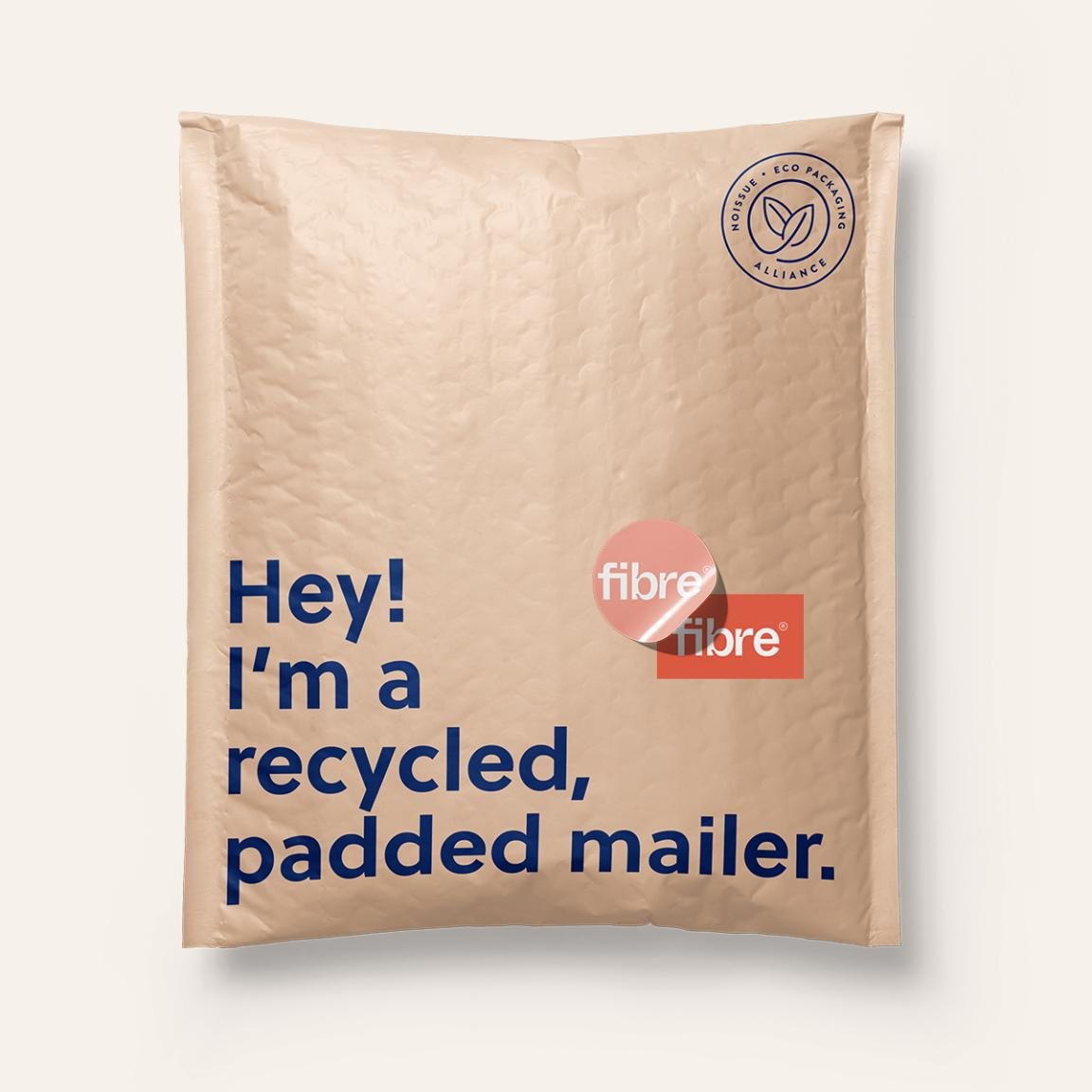
All the packaging from my fave packaging partner noissue is either compostable, made from recycled/recyclable materials or reusable so if you’re not sure where to even start they’re a pretty good option. It doesn’t hurt that they have low order minimums and make it easy to customize your own branded packaging!
Check out the ideas below for some easy packaging swaps!

Remove bubble wrap as a layer
Replace with:

Ditch the cellophane & wrapping paper
Better pick:



Replace plastic poly mailers with earth-friendly options

Use pre-used materials (like plastic or paper)

Even changing just one layer out for a more responsible option makes a difference, so don’t be discouraged by starting small – it still has an impact!

My Favorite Source for Custom eCommerce Packaging
Custom, branded packaging makes such an impact - not just in the unboxing experience but in building brand loyalty, referrals, and repeat visitors. Bonus points for you when it’s affordable, eco-friendly, and looks as great as your eCommerce website itself!
Half the fun of shopping online is that whenever the mail comes you get to unwrap a little present to yourself! And yet so many startups and small businesses kick the can down the road and put off investing in custom packaging because they think it’s going to be expensive or difficult to source.
But I say that if you’re spending all the time and energy working on your custom eCommerce website, why let your customers down when it comes to unboxing?
Custom, branded packaging makes such an impact - not just in the unboxing experience but in building brand loyalty, referrals, and repeat visitors. There’s nothing worse than shopping from a cute online shop just to see your order show up in a free USPS box 😬
I’ve finally found a source that I can confidently recommend to you for custom, eco-friendly packaging: noissue! Learn more about why I recommend this awesome source:

Creative, Mix & Match Packaging Options
Packaging isn’t a one-size-fits-all situation! What works for you is going to be based on what you’re shipping, how you need to package it and, ultimately, what suits your brand. With noissue you can combine just the right items for you and they’ll all work great together.

Low Order Minimums
One of the biggest reasons why startups and small businesses default to free boxes over custom packaging is because it used to just require too much upfront committment and cost. But if want to try things out with, say, just 25 custom boxes to start you can do just that!

Easy Design Tools
The easy design editor makes it super simple to create cool patterns out of your logo or customize any product. There are also some pre-designed items that you can add like simple kraft boxes or mailers - great to mix and match with some of your own custom elements like tissue paper or cards. noissue also has a pre-press team that will make sure your design is going to print perfectly!

Sustainable Products
Everything - seriously, every single thing - in noissue’s product lineup is either compostable, recycled, or reusable. They are very transparent about their supply chain and sourcing which is super rare in the print industry, especially at this price point. Eco-friendly packaging is something online customers are looking for and you can proudly feature that you ship using earth-friendly materials on your website.

Noissue offers eCommerce packaging that not only protects your products and promotes your brand - it’s all super earth-friendly!
Ready to add custom packaging to your eCommerce arsenal? Click below to check out my fave source! It’s a small investment that is so worth it!

How to Price Your eCommerce Shipping Options
Should you offer free shipping or flat rate shipping? Is there a way to get people to spend more on your site, abandon their carts less often and make them happier? How do you calculate the perfect free shipping threshold? Check out this post for answers to all these questions & more!
Your shipping strategy is arguably one of the most integral parts of your whole eCommerce setup. It’s how you can easily lose money if you’re not paying attention to the details… but also how you can gain tons of loyal fans if you dial things in right. Customers expect orders to arrive fast and cheap - even when shopping for higher-end, luxury items. Most eCommerce shoppers expect some sort of deal for free or reduced shipping and want to see packages at their door in no more than a week. Long story short: it’s a lot to ask of the average small business owner to deliver on!
In this post, I’ll walk you through the most common eCommerce shipping options. We’ll uncover which one (or ones!) I recommend most to help you keep your customers happy AND keep some money in your pocket.
FIRST THINGS FIRST
Figure Out What Shipping Actually Costs You
Look, I know this seems obvious but you’d be surprised how many merchants I talk to who haven’t thoroughly worked through how much it actually costs them to ship each and every product in their inventory. 😲 Now, you don’t have to be a spreadsheet person but you are going to have to break out the calculator here. Also, I’ll admit that in a former life I managed shipping & logistics for a large company so things like shipping zones and carrier contract negotiations, and packaging pricing come naturally to me. Don’t worry if they don’t for you - all the details you need to get started are below!
Make note of each product’s specific weight and dimensions. When you’re running sample rates through carriers, you’ll need this info. If products normally ship on their own in one box, the weight should be the total of the item PLUS the packaging itself and the dimensions are of the box. If customers normally order multiple items, you probably have one or two boxes that are most popular. Use those package dimensions as your baseline and then calculate what it costs to ship it at various weights.
Factor in where shipments are going & how they’re getting there. Other factors that play into your actual shipping costs are the destination and the shipping method. For US domestic shipments, shipping is figured based on zip code; international orders will depend on the country + postal code. Since i’s not really reasonable to have five zillion different shipping rates based on all the possible destinations & methods available to you, I recommend just lumping things into buckets. For merchants in the US, you might have groupings such as contiguous US, Alaska & HI, Canada, and everywhere else. You may also decide that you’d like to offer two service options: priority/express delivery and ground/economy delivery. In which case, make note of the costs for both of those for all your buckets.
Don’t forget to include packaging & pack-in costs. You can sometimes score free boxes from carriers like USPS or FedEx depending on your volume but once you start seriously selling, you’re probably going to want to upgrade to branded packaging. It just looks so much better and goes a long way in building your brand. When tallying up your costs, you’ll want to include not only the cost of the boxes themselves but also any fill you use or other materials such as tissue paper, packing peanuts, etc. Lastly, if you include anything special like a postcard, flyer, brochure, or stickers in each box don’t forget to include that in the cost as well! While these are usually just a few cents each, you have to account for it somewhere otherwise it’s just a loss. (p.s. If those pack-ins weigh more than a few ounces be sure to include them in the total weight of each package as well!)
If you want to establish a solid eCommerce brand, it’s best to invest in custom box packaging for your business. Seeing your brand logo in the packaging improves brand recall, which is a great marketing strategy. This helps boost brand awareness and enhance the customer experience. Above all, it gives your customers the impression that your brand is legit and serious about doing business.
Optional: Run a Shipping Audit
If you’re already busy shipping orders, a shipping audit can really help you check in on how things are going. I used to do this quarterly when I was a shipping & logistics manager as a way to keep a pulse on how our expected costs were stacking up against actuals. This doesn’t have to be super complicated but it can definitely expose places where your assumptions based on the factors above need adjusting.
How to run a shipping audit:
Determine a period that you’ll track details that will include a good sampling of your average shipments. This will vary on your order volume and frequency so for some this might be a day or two… others might want to track for a whole week or more.
Keep track of each shipment’s details such as size, weight, destination, etc plus what you charged each customer for the shipment.
At the end of your tracking period, go back to your shipping extension (or your carrier statement) and note what each shipment cost you.
In doing this, you can see if there are destinations or order types that routinely cost more or less than you’re currently charging.
Important tip: don’t worry about one-off outliers! There are always going to be weird shipments that go to crazy destinations that unexpectedly cost a small fortune. Or oddball orders that need to ship in much smaller or much larger boxes than normal. Whatever it is. Don’t worry about them. Shipping is a “sometimes you win" and “sometimes you lose” kind of thing. We’re just looking for if you win more than you lose, you know?
Shipping Strategies to Consider
Now that you have a handle on what it actually costs you to ship your products, it’s time to decide how you’ll cover those costs. Here are the most common options:
Make customers pay for the full price of shipping on top of product prices. This can either be a flat rate average of your costs OR variable, carrier-calculate rates. (Note that I am not a fan of variable rates and customers aren’t either. Check out this post for more on that!) Since this option can be a huge turn-off, I would really only recommend it if you have a very well-established business that sells lightweight items such as jewelry.
Make customers pay part of the shipping cost by increasing product prices & charging a small flat-rate shipping fee. This option works well because it allows you to recoup all of your costs in a more palpable way than the first option. Customers like flat rate shipping fees because they are easy to understand and you’ll like that you’ll see way fewer abandoned carts! If you’re worried about raising your product prices, don’t be! Unless you are selling a highly commoditized product, customers would much rather pay more for something as long as they’re getting a “deal” on shipping than feel nickel-and-dimed at checkout.
Make customers pay for all or part of shipping by increasing product prices accordingly & offering free shipping. Make no mistakes - this is my favorite shipping option by a landslide and the reason why is because customers love it! It’s easy. It feels generous. There are no hurdles or obstacles to overcome once someone is on the checkout page. Whether you account for all or just part of the shipping cost in your product prices is up to you and also depends on how complex you’d like your free shipping offer to be. More on that below but this is the option I would recommend for almost all businesses & startups. Okay, now on to the free shipping fine print!
Free Shipping Fine Print
Because you know that nothing is truly ever “free” here are the ways to make a free shipping strategy work for you:
Free Shipping on all orders - works best if you sell mostly small, lightweight items with high-profit margins or luxury goods.
Free Shipping on only orders over a certain amount - works best if you’re trying to increase your average order value (more on that below). For all orders below the minimum threshold, set up a nominal flat-rate fee.
Free Shipping on only orders for specific products or services - works best if you’re trying to promote new products or clear out seasonal inventory. (For more on how to set up automatic free shipping discounts, check out: Squarespace Discount Rules.)
Free Shipping on only orders to certain locations - works best if a lot of your customers are local/regional and you want to cater to them while not paying too much on the other shipments headed farther away.
Free Shipping on only orders by loyal customers - works best as an incentive to boost repeat purchases and build brand loyalty.
How to Calculate Average Order Value & Determine Your Free Shipping Threshold
Since offering free shipping on only orders over a set amount is my favorite option from the list above, I thought I’d make sure you know how to calculate average order value (sometimes referred to as “average cart value.”) That’s because this option is a tried-and-true method for boosting that amount! The important thing to keep in mind when setting a free shipping threshold is that you want it to be:
Low enough that shoppers feel they can reasonably add an additional product or two without spending a significant amount more than they planned.
High enough that you can cover the additional cost of shipping while still retaining profits.
To calculate your average order value, simply divide your revenue by the # of purchases. Using that number as your base, you’ll then identify a point just above it that you can set as the free shipping cutoff. For example, if your average order value is currently $57 and your average product sells for $18, I would set your free shipping threshold of $75. This would encourage the average shopper to add just one more product to their cart (a reasonable ask) while providing you additional revue to offset any additional shipping costs. Win-win!
Bonus Shipping Strategies Worth Exploring
Local Pickup - I firmly believe that every online shop that has the capacity to do so should be offering some sort of free local pickup. There are just so many good things about this:
Allows you to compete with large retailers & big box sellers
Provides an alternative for your local customers to avoid shipping costs
Offers the opportunity for in-person upsells & engagement
Better for the planet!
Click here for more on how to set up an in-store or local pickup option on Squarespace.
Go Wild & Combine Multiple Options! Okay, okay, okay - I swear to you that I’ll stop saying that options are my favorite but I swear: this one is my actual favorite 💕 Some of the most successful online sellers don’t implement just one of the strategies outlined above, they combine several of them! An example of what this might look like:
Offering low, flat-rate shipping rates for domestic & international shipments. Again, this makes it easy for customers to understand what to expect at checkout and you’ll have accounted for some of the shipping costs by pricing your products appropriately.
Offering free, flat-rate shipping on orders over a certain amount in order to boost average order value. The bonus here is that even though shipping is “free” for your customer that you’ll have already accounted for some of your shipping expenses by pricing your products appropriately.
Offering free in-store pickup for local customers. This will allow them to get orders faster and cheaper and you’ll come out ahead because (you guessed it) you’ll have accounted for some shipping cost in the cost of your products. Bam - straight to the bottom line.
Using the occasional free shipping offer for specific product categories or customer segments as a marketing tool. This allows you to move slow inventory, reward your best customers, build your email list, or promote a new product line without sacrificing the integrity of your main shipping strategy.
Bottom Line
A successful shipping strategy can be as simple or as complex as you’d like it to be but the most important thing is that you start by understanding what it actually costs you and going from there. It’s so important to keep track of this type of info about your business and check back in regularly to make sure things are on track. Shipping doesn’t have to be a headache at all — especially once you realize that it’s one of the most powerful (and easiest) tools available to be able to increase average order values, reduce abandoned cart rates and make customers happy!

How to Manage eCommerce Returns on Your Small Business Website
A robust returns policy is an epic confidence-booster for wary shoppers but what about actually processing those returns when they come in?! Say goodbye to admin headaches and create a seamless (and self-serve!) returns & exchanges portal for your Squarespace eCommerce website.
It’s one of the #1 eCommerce rules: if you’re looking to boost online sales, offer (free) returns & exchanges. Not only is this just great customer service, it’s an excellent way to build trust with new & returning customers while also reducing abandonment rates. I mean, people can get more than a little nervous about buying something if they think they’ll be stuck with it if they decide it’s not for them for whatever reason. I know I’ve personally chosen not to shop with companies that don’t offer returns or exchanges on more than one occasion!
However, for as great as having a generous return/exchange policy is for customers it can admittedly be a bit of an admin headache for you, the business owner. You don’t really have time to be fussing with return authorization requests and managing return shipments. And, to be fair, most customers these days are used to being able to manage their own returns via automated systems offered by big guys like Amazon or other large retailers. Need more proof? 47% off shoppers indicate that an easy-to-print return label as the key element in the best returns experiences. So what’s a small biz to do?
Solution: Aftership Returns
I’ve done a quick review of Aftership Returns in my Minimalist’s Guide to Squarespace Shipping Extensions post here but I think it’s probably one of the most underrated and underutilized apps that every Squarespace eCommerce site absolutely needs so I decided it needed a post all it’s own!


Aftership Returns Overview
Aftership Returns allows customers to automatically process their own return/exchange requests and generate their own shipping labels to send products back to you. It also allows Squarespace business owners to set up automations and rules about returns and exchanges including which products are eligible for return/exchange & which aren’t, how to route return shipments, and a robust analytics panel allowing you to keep track of everything.
It’s a great solution even if you have only the sporadic return request since just having it shows future customers that it will be easy for them to manage returns if they need to. This makes the free plan (which allows for up to 3 returns per month) an option that I think everyone should have if only just for appearances sake! If no one uses it - great! They love your products and you’re out nothing! But, again, this is the case of really just having it being such a trust builder and conversion booster that even if you sprung for the $9/month plan to get some of the more advanced options it would be money well spent!
Here’s a full breakdown of the current Aftership Returns pricing plans:

The Essential plan starts at $9/mo for 20 returns and goes up to $29/mo for 100 returns.
The Pro pan starts at $99/mo for 400 returns and goes up $599 for 3,000 returns.
I think most small businesses and startups will get everything they need out of the Essentials Plan which includes:
An interactive self-service returns page with automated approvals and label generation that makes things fast and seamless for customers.
A returns management portal so you can have oversight of everything happening in one place - plus integration with Aftership tracking (if you use it).
Proactive email notifications to reduce customer service emails and also keep you in the loop.
Discounted USPS labels with no required minimum shipping volume or choose from FedEx, UPS or other preferred carriers.
Customizable everything: set custom return windows, define your own return reasons so you can learn why products aren’t working for customers and define any non-returnable products.
Custom routing rules to ensure items are cost effectively sent back to the right place.
Allow for alternate return methods such as: in-store returns, eco-friendly “green” returns to reduce return shipping costs, or FedEx Easy Returns which allow customers to simply show a QR code to return their order at specified FedEx Office or Walgreens locations without needing to print a label!
How to Set Up An Automated Returns System for Squarespace
Start by signing up for a free Aftership Returns account here!
Then, when logged in to your Squarespace site go to Settings > Extensions and search for the Aftership Returns extension. Click Connect and then follow the prompts on the following screens to connect the new Automizely account you just created.
On your new Aftership Returns account dashboard, you’ll be automatically walked through a few onboarding questions asking you about your return policies so that things are customized to your business - don’t worry, you can always change things later in settings!
Customize your returns page by clicking on Returns Page in the left navigation area. This is where you can set up the url for your returns page, customize the colors & fonts to match your brand, and add any other static content that you’d like to appear on your customer-facing returns page.
You can customize any other settings to suit your business and policies by clicking on the other areas under Customize on the left.
Try a sample return! On your dashboard, you can click on the Demo Return button to walk through the return experience for yourself so that you know how it works as a customer.
When you’re ready, copy the Returns Page url and add it to your site’s navigation. I recommend adding a link in your footer but you may also want to add it to your FAQs and contact page just so people can find it easily from more than one place!
That’s it! Your Squarespace site now has a self-service returns portal! Be sure to include information about your return policy at checkout (Commerce > Checkout > Checkout Page: Store Policies > Return Policy).
Like I’ve said before, I think that every eCommerce shop should take the few minutes to set up a returns portal like this. It is such a confidence builder even if it rarely gets used and when it does it will make life so much easier for customers and shop owners alike!

All About Squarespace Shipping Labels
You can now print shipping labels from right within Squarespace! But should you? Find out all about the pros and cons of this new feature, whether you should be using it (or something else) and the exact steps to take in order to print your first shipping label.
I love whenever I see Squarespace release commerce updates! It really reconfirms to me the platform’s commitment to supporting online sellers. One of the latest releases has been long awaited but should you dive in? Let’s explore… shipping labels!
But first, a quick reminder of how things work normally without this feature:
If you don’t use a shipping extension: Once someone places an order, you can see the order details in Squarespace. It’s up to you to fulfill and ship that order on your own. This means that you can go to the post office or FedEx Office or the UPS store or whatever you like, pay for the shipment and then log back into Squarespace to enter the tracking information and mark the order as fulfilled in Squarespace.
If you do use a shipping extension: The order details still show up on your Squarespace dashboard but they also automatically get sent over to your shipping extension of choice. The exact process from here varies by extension but the gist is this: the shipping extension will automatically find the shipping option that’s the best fit for the package and destination (based on shipping rules you set up), score you a discounted rate over paying retail, and then create the shipping label for you to print out. It will also automatically send the tracking info back to Squarespace, add it to the order details and mark the order as fulfilled for you.
How to Print Shipping Labels on Squarespace
In short, the new shipping label feature in Squarespace allows you to buy and print shipping labels right from within your orders panel so that you can streamline and simplify your order fulfillment workflow. You’re still going to need to drop packages off at the post office but you won’t have to wait in line to buy a label each time!
Sounds great, right? Yeah! But there are some drawbacks and this may not be a perfect solution (yet!) for everyone. Here are the ins and outs!
Pros
This feature is completely free and included on all users business and commerce plans - no need to pay for a shipping extension!
Keeps everything in one place - no need to log into another program
Discounted rates for Priority Mail Express and First Class versus retail
Saves you from having to manually enter customer addresses and tracking numbers
Cons
Only available for shipments within the US and selling in USD
USPS is currently the only option (no FedEx or UPS, etc.)
You can only print one label at a time
You cannot currently add shipping insurance to an order
You still need to contact USPS to schedule a pickup
So, who do I think should try this and who should skip it for now?
Real talk: I LOVE this new feature but I don’t think it’s for everyone just yet. Here are the people I think should try it and who should look to another option until some more features are released:
Try this if you’re….
A lower volume shipper
Wanting to simplify and streamline your process by not adding yet another piece of software to your lineup
Only shipping in the US, selling in USD, and want to ship via the US Postal Service
Skip this for now if you’re…
Currently using a third party shipping extension and using rules or automations
Needing to print labels in bulk
Currently shipping with enough volume that you have your own discounted carrier rates

Interested in using Squarespace to print shipping labels? Here’s how!
Here are the exact steps you’ll need to take to print your first shipping label on Squarespace:
From the home menu on your Squarespace site > Commerce > Orders > click on a pending order that you’re ready to ship
In the order details window that pops up, click Purchase Label
Add your seller information (you only need to do this the first time, after that just make sure to check the box to save your address and label preferences as the default and it will reuse them every time)
Click on Shipping Label and enter the shipment info including the package dimensions and weight. The customer shipping address should automatically prefill but if you need to change it you can do that in this section as well.
The available USPS shipping options will be displayed as well as a reminder of the shipping option that your customer selected. You can compare options and select the best fit. Then click Review Order > Confirm and Purchase > Print Label.
The last step is to mark your order as fulfilled. The tracking information from the label you printed will automatically be copied in to the order details and be included in the shipment confirmation email that is sent to your customer. Done!

3 Ways to Crush This Holiday Selling Season with Your Squarespace eCommerce Website
Don’t let holiday selling stress you out! Here are 3 simple solutions to make sure you’re not left worried about inventory or shipping - the biggest problems online sellers are facing this season!
eCommerce merchants are facing a double whammy of things to be nervous about this holiday selling season. Chances are you’re worried about 1) ongoing supply chain issues AND 2) the threat of longer than normal shipping times this holiday season (again).
This is resulting in:
Being uneasy about promoting too much too early because you’re not sure you’re even going to have inventory to sell, and…
Sleepless nights spent worrying about an even shorter-than-normal selling season, not sure you’ll be able to fulfill and ship in the teeny tiny window of time you have.
Eek!
Don’t worry - I have three solutions you can try to help ease the nerves so you can sell with confidence this holiday season.
1. Add a Local Pickup Option
Adding a local pickup option will allow for sales right up to the very last minute -- no need to cut things off early to allow for extra shipping and fulfillment time!
Bonus: you can use local pickup as a competitive advantage over non-local online competitors - winning over shoppers who don't want to risk not having gifts arrive in time.
Not sure if this is for you? Let’s explore the idea:
The best of both worlds - offering in-store pickup or curbside delivery are great ways to combine the ease of eCommerce with the familiarity of buying from a favorite local business.
Win back customers who are accustomed to “free” 2-day shipping - It’s about more than just convenience; providing a local pickup option can help you compete with the big guys! Customers are used to shopping online with Amazon or Walmart and getting whatever they want delivered fast. Local pickup is a way to beat them to it!
I think that if more businesses knew how easy it was to set these options up that they would definitely do it - and possibly attract a whole new batch of customers as a result!
I mean, how nice would it be if you could pick up all your holiday shopping curbside on your way home from work?!
Marketing curbside or in-store pickup as a service can really give you a competitive edge! Plus, you can throw in upsells like free gifts with purchase or free gift wrapping to really sweeten the deal.

Tips for Offering a Successful Local Pickup Program
Like I said, setting this up is pretty easy to do from a technical perspective but here are a few quick tips to make sure you’re set up for success before you so:
Document your fulfillment process. This includes making sure that everyone on your team is educated on the in-store pickup or curbside delivery procedures. Write down every step that happens between the time someone submits an order until that order is picked up. Who monitors your inbox for new orders? Who marks them as fulfilled and when? How and when are customers notified? Be specific. Your plan doesn’t have to be complex but it should be organized.
Add info about local pickup to your FAQ page. It’s important to set expectations early about how long it will take to fulfill an order, what needs to be done when the customer arrives at your location, etc. Add information about pick-up hours, where to park, what they need to bring to pick up their order, and your contact information -- especially a phone number! (When in doubt, my rule of thumb is to treat every visitor like a lost tourist 😂)
Provide directions and ALL the information again in your email confirmation. You may have put all the info on your website and FAQ page but just count on the fact that people are busy and assume they didn’t see it. Don’t worry about repeating yourself and provide the directions about what to do again in your email confirmation email. Be explicit. For example, are they to proceed directly to your location right away or will you be emailing again when their order is ready for pickup? Is there a phone number they need to keep handy? Can they stay in their car? Is there a special line to stand in for online orders?
Put up easy-to-read signage at your location regarding curbside pickup procedures. At the risk of repeating myself, I’m telling you to go ahead and repeat yourself :) If you need people to park in a certain spot or area, call or text a certain number or follow some other procedures, let them know. Make it simple and clear. The goal is to reduce frustration and confusion. Great on-site signage also has the benefit of advertising to anyone passing by that you offer local pickup so be sure to mention your website on any and all printed materials!
Two Options for Local Pickup on Squarespace
Use the built-in Local Pickup option. This will create an option at checkout toggle between shipping & pickup and will be available to all customers. (Get there: HOME > COMMERCE > PICKUP)
Set up a free flat-rate option. This will allow you to restrict local pickup options to people in certain areas using zip or postal codes. While it isn’t technically necessary to limit this as an option at checkout, it’s nice to only show it to people who could reasonably choose it. The trick on this is to make sure you give the pickup option a very clear name like “Curbside Pickup - YOUR AREA ONLY” so that it differentiates the local pickup option from any other (potentially free) shipping options you offer. (Get there: HOME > COMMERCE > SHIPPING > ADD SHIPPING OPTION > FLAT RATE)
Tip: for more complete, step-by-step instructions on both of the ways outlined above to set up a local pickup option on Squarespace, check out the bottom of this post where I break down all the details!
2. Simplify Your Shipping Strategy + Add a Shipping Extension
For traditional eCommerce orders, adding a shipping extension can help you fulfill orders FAST and save you some money in the process. Using a shipping extension can help you control costs so that you can offer the #1 thing that online shoppers are looking for: FREE SHIPPING!!!
Plus, I’m pretty sure waiting in line at the post office with other frazzled shippers isn’t exactly you’re idea of a good time! Let’s get you out of there!
Start By Making a Smart Shipping Game Plan:
The best shipping strategies are SIMPLE. Like, stupid simple. And most online sellers make it unnecessarily complicated. Here’s what I recommend for the easiest (and highest converting) shipping strategy you could possibly have:
Set a per order flat rate shipping option. Make the cost cover some nominal amount of whatever it costs you to ship your average order. Don’t worry about making it cover everything, just make it something easy. Like $5. Or $7. Or something relatively easy for online shoppers to stomach and understand.
Set up an automatic free shipping discount for orders above a certain amount. The threshold for free shipping should ideally be somewhere just north of your current average order value. You’ll be surprised at how many people choose to add just a little something to their cart in exchange for free shipping! The key here is that you’re not offering free shipping to just anyone so be sure to set this up in the discount section, not the shipping section!
Why this combo works:
Simply, people hate feeling nickel-and-dimed and love feeling like they got a deal. That’s it.
Offering a flat rate shipping option that will apply to orders under your free shipping threshold feels honest and transparent and ensures that shoppers won’t face any nasty surprises in their cart.
Setting up an automatic free shipping discount encourages people to spend just a little bit more while still making it easy - no coupon code required!
This combo is also super easy to promote!
Imagine how simple it will be to boil your shipping program down to something as easy as: “$5 flat rate shipping. All orders over $45 ship free, no code required!” Swoon. I love it.

On the fence about offering free shipping? Let me convince you it’s worth it!
I go into all the pros and cons of free shipping in this post: eCommerce Strategy 101: Should You Offer Free Shipping? but here are some of the benefits of this for anyone with lingering doubts about how well it works as a strategy.
Free shipping:
Reduces cart abandonment rates
Increases conversion rates
Boosts revenue
Increases order volume
Increases average order value
Helps attract new customers
Encourages repeat visitors
Boosts loyalty, and more!
Combined with a minimum order amount requirement and a low flat rate for any orders below that amount, you’ve got a winning shipping strategy!
Sanity Saver: Shipping Extensions!
Ok, now that you have a winning customer-facing shipping strategy it’s time to focus on what happens behind the scenes when orders come in.
For small- to medium-sized businesses, managing shipping is typically one of the biggest headaches and often eats up tons of resources - time, money, and sanity!
Luckily, Squarespace pairs well with several popular shipping extensions that can help take a load off.
How shipping extensions work:
Shipping extensions are basically apps that use the Commerce API to pull in order data to a third-party platform that takes care of all things shipping for you. Some popular Squarespace shipping extensions are:
ShipStation
GoShippo
ShipBob
Easyship
(Pssst - I give you all details on my fave option below!!)
All of the shipping extensions with native Squarespace shipping integrations work pretty much the same way:
Sign up for an account directly with the app you’d like to use then connect it to your Squarespace site
When orders are placed on your website, the order information will get automatically pulled into your extension of choice and a shipping label will be created for you to print when you are ready to ship.
Once shipped, the tracking information will get sent back to Squarespace and automatically included in a shipping confirmation email to your customer.
Sidenote: A common misconception about shipping extensions is that connecting one to your site somehow “takes over” the shipping options that are displayed to your customers at check out. What you need to remember about shipping extensions is that they only take care of what happens behind the scenes for you, the merchant. You’ll benefit from discounted rates plus a ton of saved time and headaches managing fulfillment manually on your own. The time and cost savings shipping extensions offer still need to be balanced out with a winning customer-facing strategy like above!
My Favorite Shipping Extension: Easyship!
Knowing that all shipping extensions work in essentially the same way, how do you go about choosing one over the other? Well, let me save you the agony of starting a bunch of free trials and testing them for yourself :) My fave is Easyship. Here’s why:
As its name implies… it’s easy. Easyship has a nice, clean interface and offers just enough options to allow you to customize the experience without feeling bloated. Some of the other extensions have complicated user interfaces and offer a bunch of unnecessary options that just bog things down.
The discounts are great! As an online seller, you should never, ever, ever pay retail for shipping. You are not a retail customer. Easyship has great discounted rates that are passed along to you for over 250+ carriers worldwide.
3. Add Fresh (No Cost) Inventory with Print on Demand & Printful
You are not alone if you’re nervous about buying a bunch of inventory that you won't be able to sell - or if you’re one of the zillions of sellers who has a critical shipment you’ve been waiting on stuck in port somewhere. Inventory also costs (wait for it)... money.
Solution:

If you’re running short on both time and resources - you should definitely give a print-on-demand solution like Printful a try!
I think this is an especially good idea if you already have some of your own products in stock but just want to round out your product lineup in a low-risk, high-reward way.
With Printful you can quickly add new products to their shop to make it look like you have tons to offer but you don’t need to worry about:
Buying inventory that will never sell
Production
Warehousing
Fulfillment
Shipping
Returns
… or any of the other headaches that go along with making and selling your own goods!
What is print on demand and how does it work?
Somewhere between manufacturing your own products and dropshipping someone else’s goods from overseas lies the print-on-demand industry. To me, it’s the perfect medium and, in many ways, the best of both worlds.
With print on demand you can offer your own customized products in your own online store... without needing to worry about production, warehousing, shipping, or any of the other headaches that come along with traditional eCommerce.
It’s a win-win!
The Best Print on Demand Solution for Squarespace: Printful!
The secret to making POD work without too much actual work is choosing the right company to partner with and I think you can’t beat the combo of Squarespace + Printful! With your Squarespace site all set up to sell, adding Printful into the mix is easy. And the beauty of it is that it works whether:
Your entire inventory is print-on-demand products or...
You’ll just be adding a few SKUs to your mix to round things out.
It can really be as much or as little a part of your product lineup as you need it to be.
About Printful
If you’re new to POD or Printful, let me share with you how things work and some of the benefits of adding it as an extension of your Squarespace eCommerce business.
Printful itself is FREE! There are NO monthly subscription fees, ZERO set up costs, and NO order minimums. You only pay the wholesale price + shipping for each item that is produced.
Everything is made on demand. Because items are never made in bulk and only go to print when they are actually ordered you can feel free to test drive designs & products without any upfront investment costs, no inventory to store and no worries that you’ll be left holding the bag if something happens to be a flop. (Hey, it happens!)
It’s a completely white-labeled experience. From start to finish, your customers will only know that they saw something they loved on your site and that it arrived in perfect condition to them. Everything from the emails they receive about their order to even the packing slip in the package can be personalized to match your brand. If you want, you can even ship pack-ins like stickers or custom packaging to Printful to use on all your orders!
How Printful Works:
You markup products as much or as little as you want. You’re free to markup the products that Printful will be making as much or as little as you want - you’re in complete control! Remember, it’s not just the product cost itself that matters - it’s your design and style that people are willing to pay for!
Customers pay you directly. When a customer places an order on your site, they’ll pay you directly and in full.
Squarespace sends new order info to Printful for you. The integration between Squarespace and Printful will automatically push the order info from your customer into Printful which means that from here you’re pretty much hands-off completely!
Printful takes care of the rest! Printful will charge you the wholesale cost of the product your customer ordered (plus shipping and taxes) and take care of production, fulfillment, and shipping. They’ll even automatically send the tracking information back to Squarespace so that your customers get a shipping confirmation email from you!
Ready to give print on demand a try? Get started with Printful here!
Have a Stress Free Holiday Selling Season!
One of the reasons I love working with small- to medium-sized businesses like yours is that entrepreneurs are a scrappy bunch! You’re quick to adapt to changing market conditions and don’t let things like inventory delays or tight shipping windows get you down.
Running an eCommerce business can be stress-free, even during the holidays!
By using built-in tools like Local Pickup or a shipping extension like Easyship you can streamline your operations. Incorporating a print-on-demand solution like Printful can get you the inventory you need in a low-risk way.
If you’ve been stressed about how you’re going to make things work, I hope you give these things a try!

The Ultimate Squarespace eCommerce Guide
Stop chasing your tail! I've covered some of my favorite posts on everything from choosing Squarespace for your new eCommerce website to mapping out a winning eCommerce strategy, from launch day to managing the day-to-day. Wherever you are in the process, I’ve got you covered!
There’s so much information out there about Squarespace web design and eCommerce but that’s half the problem! It’s all over the place and not necessarily right where you need it! So I decided to corral some of my favorite posts on everything from choosing Squarespace for your new eCommerce website to mapping out a winning eCommerce strategy, from launch day to managing the day-to-day. Wherever you are in the process, I’ve got you covered!

Choosing Squarespace
As a small business owner, you have a lot of choices that you’re going to need to make. But it’s the first one that’s arguably the most important. To me, choosing Squarespace for eCommerce is a no-brainer but I want to help you get all the facts so you can decide for yourself.

Early Decisions
Some of the early decisions in the eCommerce web design process are things you can set and forget but even simple things can help make sure you’re set up for success moving forward.

Map Out a Winning eCommerce Strategy
I wish I could tell you that eCommerce was as easy as making a website public and watching the money roll in but the reality is you need a solid eCommerce strategy in place to keep things on track. These simple and straightforward resources are here to help!

Go above & Beyond
The difference between ho-hum and fabulous is usually just paying attention to the little details that your competition most definitely missed. Don’t worry - I’m going to make sure that you’re prepped and ready to crush it and stand out from the crowd.

Launch With Confidence
Launch day doesn’t have to be nerve-wracking! You can sell on Squarespace with confidence when you know your site is on point from all angles.

Manage the day-to-day
To me, once your site is up and running is when the fun really begins! You can build new features, add new products and continue to refine the experience - all decisions you can back up with data.

How to Send Delivery Confirmation Messages with Squarespace
Letting your customers know when a package has been delivered with custom delivery confirmation emails can help you increase customer satisfaction and reduce your admin time. There are two options that integrate seamlessly with Squarespace commerce and I’m sharing the pros and cons of each for you!
This is going to sound cheesy but I’ve been waiting for the perfect time to use this sentence: “I’m not just an eCommerce pro - I’m also a customer!” Cringy? Yes. But this means that a lot of the tips I recommend are because I’ve been working in eCommerce since the early 2000s... aaaand a lot of them are because I’ve been shopping online for just about as long.
As a customer, I love love love when I get an email as soon as a package I’ve ordered has been delivered. As a pro, I love that this is something that’s easier than ever for small businesses to be able to do! It’s a really great way to show customers that you care about their experience and be proactive about any issues there may be with the shipment or order. Providing tracking and delivery updates to your Squarespace customers can also really help reduce the number of status update inquiries you or your customer service team have to field so if you ask me this one is a win-win-win.
There are two ways to send custom order tracking and delivery updates to support your Squarespace eCommerce business. I’ve set up both and to me, there’s not necessarily a super clear winner; the best solution will be the one that aligns with your business needs and that may be completely different from someone else’s. I do have a favorite when it comes to simplicity but the alternative is pretty cool too! I’ll detail them both for you so that you can decide!
Easyship
Of course, my favorite shipping extension made it onto this list! And that’s because even if you like the second option below better for post-purchase tracking and delivery updates you’ll still need a shipping extension to be able to get those orders shipped out in the first place. I love Easyship because it has all the great shipping features and capabilities you want (importing orders, creating labels, carrier discounts, shipping rules, etc.) but still manages to have a super simple user interface that makes it a breeze to use.
Easyship is also the only shipping extension that integrates with Squarespace that offers a “shipment delivered” trigger on Zapier which makes it perfect for us to use to set up simple order delivery confirmation emails!
To do this, you’ll just connect both your Easyship account and your business Gmail account to Zapier. From there, it’s as simple as creating your simple stock email that goes out every time the Easyship “shipment delivered” trigger is activated. (For more on using Zapier check out this post: Fun With Zapier for eCommerce.)

Using Zapier to send simple order delivery confirmation messages from Squarespace + Easyship
Pros: Simple, minimal, not much tech setup, low/no cost
Cons: Design and formatting options for the email are limited
Accounts Needed & Costs:
Easyship - Free for up to 100 shipments/month, then $23/mo for an annual Plus plan. The Plus plan also comes with it’s own custom branded tracking page and emails if you’d like to use those instead of the ones generated by Squarespace. Bonus: give Easyship a try by using my code GWZMUM and get a $20 account credit towards shipping costs.
Zapier - Free for up to 100 single-step tasks/month, $19.99 for up to 750 tasks plus the ability to set up multi-step zaps.
Aftership
If you’re looking for the minimalist approach, stop reading and just go with the above! But if you’re looking for a few more features that will really help your small business look pretty badass, Aftership is worth looking into. You’ll still need to use a shipping extension (check out my reviews of all of them here!) to take care of the outgoing shipping situation from your shop but Aftership picks things up from there.
What may surprise you about this option is that it’s actually pretty dang affordable to do things that used to only be available to huge online sellers like sending branded step-by-step delivery updates and a tracking page with upselling marketing opportunities. While it’s definitely more labor-intensive to set up all the features (there are almost too many of them!), if you’re a growing eCommerce business it may be worth it.
Aftership is also a great option if you’ve been wanting to do things like send text updates about shipments or offer automated returns in the future since those are easy add-ons from the base subscription.
To get started with Aftership, from your Squarespace home screen go to Settings > Extensions > Aftership > Connect.
Pros: Fancier-looking emails, more options if you want to add them, low cost
Cons: Complicated set up with lots of (almost too many!) options, more apps to log in to
Accounts Needed & Costs:
Shipping extension of your choice - such as Easyship (above) in order to manage your outgoing shipments
Aftership Tracking - $9/month for up to 1,200 shipments per year, cost goes up based on usage and if you want any of the upgraded features. The Essential plan will get you a branded tracking page and custom email notifications for when order is in transit, out for delivery, there has been a failed delivery attempt, when the shipment is delivered and/or a delivery exception.
(Optional) SMS notifications - $0.04/text, to also notify customers by SMS about shipments
(Optional) Aftership Returns - free for up to 3 returns per month, paid plans start at $9/month to be able to create an interactive returns page that will allow you to manage returns to your Squarespace store
Bottom Line
Keeping your customers in the loop can not only help reduce the number of customer service inquiries you have to field, but it can also be just another way to help your small business look big online. While I definitely like to be cautious when incorporating new apps or software into my tech lineup, using Easyship or Easyship + Aftership are affordable ways to improve customer experience that integrate so seamlessly with Squarespace that they have my minimalist’s stamp of approval!

Order Fulfillment 101
Creating a great process to manage and fulfill your orders on the back end is just as important to your eCommerce experience as what your site looks like online. Luckily, Squarespace makes it super streamlined and simple to fulfill orders and manage customers. Once you receive an order and have it ready to ship, here’s how the order fulfillment process works.
Creating a great process to manage and fulfill your orders on the back end is just as important to your eCommerce experience as what your site looks like online. Luckily, Squarespace makes it super streamlined and simple to fulfill orders and manage customers. Once you receive an order and have it ready to ship, here’s how the order fulfillment process works.
The Workflow
Get Notified - All store managers or site admins will receive an email notification every time you receive an order. If you use the Squarespace app you can also get push notifications about new orders. If you want to send the emails to other people on your team that aren’t users on your site you can either set up a rule in your Gmail to forward copies of the emails or use a tool like Zapier to set up more advanced options.
View Order Details - From the back end of Squarespace or the Commerce app, you can view an order summary, including info submitted via any custom product forms or custom checkout forms you’re using. You can also view the order status, activity, notes, and email notifications associated with the order.
Fulfill The Order - The options available to you will depend on what you’re selling. Orders for digital products or gift cards are automatically marked as fulfilled because they are delivered immediately to your customer and no further action is needed. For physical or service products, orders are held as pending and you can mark them as fulfilled as they ship or as you complete them.
Add Tracking Info - Only orders for physical products will prompt you to enter tracking information when you fulfill the order. Squarespace recognizes tracking numbers from the following carriers and will update the carrier name automatically: Australia Post, Canada Post, DHL eCommerce, DHL Express, FedEx, UPS, USPS & Royal Mail. For any other carriers, you can just enter the name under “Other.”
Send Confirmation - After you enter tracking information you’ll see a checkbox that is automatically checked to send an “order fulfilled” email confirmation to your customer. (You can uncheck this if you want to not send the email for some reason.) To edit how this email looks or customize it with any other info check out this post about how to customize your store’s email notifications. That’s it - you’re done!
Other Options
Bulk Fulfillment - If you have more than one order that you’d like to fulfill all at once you can do that by going to Home > Commerce > Orders > and filter by pending orders. You can select any/all pending orders you’d like to fulfill. You’ll then be prompted to enter tracking info if you have it.
Cancellations & Full Refunds - The most important thing to note is that you should always process refunds and cancellations directly via Squarespace and not through the payment provider. This makes sure that your stock levels remain accurate and that order info is synced correctly. You can also only cancel pending orders so if you’ve already marked the order as fulfilled you’ll need to move it back to pending before refunding or canceling. Canceling automatically refunds the purchase and sends the customer an email about the cancellation. Marking an order as canceled also gives you the option to restock your inventory with items from the order. Customers will receive the Order Cancelled email.
Partial Refunds - The most common scenario for this is if you offer your customer a refund for their purchase less the shipping costs but you can issue a refund for any amount you enter. From the order details screen just click “Issue Refund” and enter the amount. Once you confirm the refund your customer will automatically receive an email confirming so. Note that issuing a partial refund doesn’t automatically restock any inventory so if you received a return and have that product available to sell again you’ll need to add it manually to the inventory count.
Exporting Orders - If you need to pull your order info into another program or spreadsheet for reporting or other activities, you can export orders using a range of filters by going to Home > Commerce > Orders > Export.
For more on what you can do to manage your customers and orders on the back end, check out Using Squarespace as Your CRM Part 1 and Part 2.
How a Shipping Extension Changes the Fulfillment Process
Easyship Dashboard
Connecting a shipping extension is helpful for a number of reasons. A shipping extension makes it easy to print shipping labels for your orders with all the order info filled in for you - no typing addresses! :) Besides just being convenient by saving you from waiting in line for hours at the post office, most of the extensions offer discounted rates which you can take advantage of to stay competitive on shipping costs.
There’s another big benefit to using a shipping extension that really makes it a no-brainer for anyone shipping even a few products. When an order is placed on your Squarespace site, the info is automatically pushed out to your shipping extension of choice. And then, once you print & ship that order, the tracking information is automatically pushed back to Squarespace. This means that items 3-5 in the workflow above are all taken care of for you by the extension in addition to generating the shipping label and giving you a shipping discount.
For more on how shipping extensions work and how to set up a profitable shipping strategy on Squarespace check out this post.
For a full review of all the shipping extensions available on Squarespace, including my fave Easyship check out this review post.

How to Set Up Local Pickup or Curbside Delivery on Squarespace
Whether you call it local pickup, in-store pickup or curbside delivery: offering this option to your customers is easy to set up and a great service to market to your customers. Discover tips on making sure the process goes smoothly from start to finish and exactly how to add this feature to your Squarespace site.
Updated March 2022
Offering in-store pickup or curbside delivery are great ways to combine the ease of eCommerce with the familiarity of buying from a favorite local business. It’s about more than just convenience; providing these types of options can help you compete with the big guys! I think that if more businesses knew how easy it was to set these options up that they would definitely do it - and possibly attract a whole new batch of customers as a result! I mean, how nice would it be if your dry cleaning was loaded up in your trunk for you? Or what if you could pick up a wrapped gift from your favorite little store on your way home from work? Marketing curbside or in-store pickup as a service can really give you a competitive edge.
Like I said, setting this up is pretty easy to do from a technical perspective but here are a few quick tips to make sure you’re set up for success:
Create and document the system you will use for processing incoming orders. This includes making sure that everyone on your team is educated on the in-store pickup or curbside delivery procedures. Write down every step that happens between the time someone submits an order until that order is picked up. Who monitors for orders? Who marks them as fulfilled? How and when are customers notified? Be specific.
Answer FAQs about your specific curbside pickup process on your website. It’s important to set expectations early about how long it will take to fulfill an order, what needs to be done when the customer arrives at your location, etc. This is going to vary depending on whether you’re a boutique or a cafe, whether you have your own dedicated parking area or share a lot with other businesses, etc. (When in doubt, my rule of thumb is to treat every visitor like a lost tourist 😂)
Provide directions and the information again in your email confirmation. You may have put all the info on your site like above but not everyone is going to read it. Don’t worry about repeating yourself and provide the directions about what to do again in your email confirmation email. Be explicit. For example, are they to proceed directly to your location right away or will you be emailing again when their order is ready for pickup? Is there a phone number they need to keep handy? Can they stay in their car? Is there a special line to stand in for online orders?
Put up easy-to-read signage at your location regarding curbside pickup procedures. At the risk of repeating myself, I’m telling you to go ahead and repeat yourself :) If you need people to park in a certain spot or area, call or text a certain number or follow some other procedures, let them know. Make it simple and clear. The goal is to reduce frustration and confusion but great on-site signage also has the benefit of advertising to anyone passing by that you offer curbside pickup so be sure to list your website as well!
Creating a local pickup option on Squarespace is easier than ever and you have two options based on your needs.

Option 1: If you want to be able to offer local pickup to everyone:
You can use the built-in Local Pickup option to easily offer this to your customers at checkout. This will create an option at checkout toggle between shipping & pickup.
Get there: HOME > COMMERCE > PICKUP
You can write whatever you want in the “Pickup Information” text box. The name will display at checkout and the information will be included in the Order Confirmation email that is sent to your customer. You can include info like your address, pickup hours, and other instructions that will help customers know what to do or expect next.
Local Pickup orders won’t require your customers to enter a shipping address making this a super-fast checkout option!
Local pickup is an all or nothing thing - people can’t place an order that is half pickup / half delivery.
At this time, customers choosing this method cannot pay with Apple Pay (if you offer this as an option).
These orders won’t get sent to any shipping extensions you may have connected (like Easyship) because it’s assumed that you’re fulfilling them on your own + there is no shipping address provided by the customer.
Option 2: If you want to limit local pickup to certain zip/postal codes:

What you see when setting up an in store pick up option
In order to restrict local pickup options to people in certain areas using zip or postal codes, you’ll need to create a flat rate shipping option. While it isn’t technically necessary to limit this as an option at checkout, it’s nice to only show it to people who could reasonably choose it.
Get there: HOME > COMMERCE > SHIPPING > ADD SHIPPING OPTION > FLAT RATE
Make sure you give the pickup option a very clear name like “Curbside Pickup - YOUR AREA ONLY” or something that clearly differentiates this option from any other (potentially free) shipping options you offer.
Fill out the pricing or list $0.00 if you offer this option for free.
From the Shipping Zones tab, select your country (US or Canada) then your state/province. To get even more detailed, click on the state/province and add specific zip or postal codes that you’d like to limit this option to.
Keep in mind that the curbside pickup option is going to be displayed based on the “shipping address” that’s entered first so when in doubt, I would make your circle wider than narrower so that you don’t miss out on anyone.
Taking It Further:
Offering Local Delivery - You can set the price to whatever you want - it doesn’t have to be free. This is something to keep in mind if you wanted to replicate the instructions above to be able to offer local delivery. You’d use the same steps as option 2 above to restrict delivery to people in certain zip or postal codes, call it “Local Delivery” and give it a price. Now you have a paid local delivery option, too!
Order Confirmation & Order Ready Emails - People placing local pickup orders will receive two emails from you. The first is their order confirmation email, which is the same for all orders on your site regardless of shipping method chosen. The second one is the one that is sent once you mark their order as “ready for pickup.” In this second email, be sure to include things like your pickup hours, location, parking information, or what’s required at time of pickup (i.e. photo id or printed confirmation, etc. Again, if you explained this on an FAQ page or order page of your site it’s super helpful to just reiterate any pertinent info so people have it right in their inbox. For more on customizing these emails check out this post.

Squarespace eCommerce Launch Checklist
Check out my quick list of commonly missed or easily overlooked items that you should make sure you’ve taken care of before you hit publish on your new eCommerce website.
I have several posts out there about how to set up your first online shop, what to include on your eCommerce setup checklist, or even how to launch an eCommerce site even if you don’t have anything to sell yet. But what about launch day? There are lots of moving parts to launching an eCommerce site and when you’re staring down launch day it can be easy to overlook something simple out of sheer fatigue! You feel like you’ve taken care of everything but how can you really know?!
I’m all about checklists as a way to take some of the guesswork out of things. I use the same checklist for nearly every project I work on for a reason - there’s no point in reinventing the wheel each time! (For the record, my checklist tool of choice is ClickUp which I highly recommend!)
If you’re getting ready to launch your eCommerce website (or even if you launched already and want to make sure you didn’t miss anything!) here’s my quick list of what you should make sure you have taken care of before you hit that “publish” button!
Make sure you’ve added a site title
Check all links & buttons
Make sure your domain is connected & secure
Test payments through your chosen merchant processor
Make sure taxes are set up appropriately
Make sure you have at least one shipping option set up
Place a test order
Set up any third-party sales channels (such as FB or Instagram)
Make sure your custom email address is working
Test all contact forms & signup forms
Work through Squarespace’s SEO checklist
Disable test mode to prepare for accepting orders
Customize & review your site’s email notifications
Make sure your checkout page is customized
Check out how your site looks on mobile
Verify your site with Google Search Console
Add your Google Analytics account info
As you can see, most of the things on this list are things that you’ll probably have taken care of during site set up but these are also commonly missed or overlooked items so make sure you’ve got them all checked off. Once you do, remove your site password and hit publish! You’re ready to launch!

How To Set Up a Profitable Shipping Strategy on Squarespace
The secret to not losing your shirt (and your mind!) when it comes to shipping is to take care of both sides of the shipping equation - what your customers see and what you do behind-the-scenes. Check out this post to also find out which shipping method and shipping extension combo I recommend most!
Ah, shipping - the apparent bane of every online seller’s existence. It can sometimes feel like you’re being squeezed on shipping at both ends; customers want low/no cost while carriers seem to charge more and more at every turn.
A lot of eCommerce shop owners start looking at shipping extensions as a solution thinking that will magically take care of everything - but they only take care of half the problem. In this post, we’ll look at understanding both sides of the shipping equation and how you can optimize both. Keep reading to also find out which shipping method and shipping extension combo I recommend most!
The Shipping Equation
Shipping is just like any other product you sell in that there are two sides to the equation and both need to be taken into account to determine profitability. On one side we have what you charge your customers for shipping, on the other side what carriers are charging you. The difference between the two (if there is any) is profit.
Despite how obvious it seems, I often see online sellers ignore either one side of the equation or another. Some people set unnecessarily high shipping costs for their customers in an attempt to “recoup” what they are being charged. Others offer free shipping because they know it’s an attractive option but then don’t limit who is eligible for it and end up seeing red because of it. So, you have to take care of both sides, okay? Here’s how:
Taking Care of the Customer Side
The first side of the shipping equation is the customer side, or what you charge your customers. When it comes to setting up shipping rates on Squarespace you have a few options:
Flat Rate Shipping - charging the same cost per order, with the option to increase the cost per each additional item in the order
Rates Based on Weight - charging based on the total weight of all items in the order; requires you to input your own cost tiers
Carrier Calculated Rates - charging based on weight, dimensions, and destination address; cost is calculated automatically from the carrier(s) you choose (FedEx, UPS, or USPS)
Free Shipping (for all orders) - set up in the Shipping section as a shipping option
Free Shipping (for only certain orders) - set up in the Discounts section either as a promo code or an automatic discount based on criteria you set
From a purely cost control point of view, carrier-calculated rates appear to be the best option since you’re getting variable rates directly from the carrier you’re going to ship with. This makes you think that you’re going to be able to charge your customer exactly what you’re going to get charged but variable shipping rates can be super frustrating and off-putting to customers. Since they never know what to expect and are often surprised by what they see when they get to the checkout, this option results in super high cart abandonment rates and discourages higher dollar value orders. If we’re working through a process of elimination, I would rule out Rates Based on Weight for these same reasons.
This leaves us with flat rate shipping or a couple of free shipping options. My recommendation? Go with a combo of both!
Game Plan:
Set a per order flat rate cost that covers some nominal amount of whatever it costs you to ship your average order. Don’t worry about making it cover everything, just make it something easy. Like $5. Or $7. Or something relatively easy to stomach.
Set up an automatic free shipping discount for orders above a certain amount, ideally somewhere just north of your current average order value. You’ll be surprised at how many people choose to add just a little something to their cart in exchange for free shipping! I wouldn’t offer free shipping to just anyone though so be sure to set this up in the discount section, not the shipping section!
Why This Combo Works:

Oprah keeps it real.
People hate feeling nickel-and-dimed and love feeling like they got a deal. Offering a flat rate that will apply to orders under your free shipping threshold feels honest and transparent and ensures that shoppers won’t face any nasty surprises in their cart.
Setting up an automatic free shipping discount encourages people to spend just a little bit more while still making it easy - no coupon code required! This combo is also super easy to promote! Imagine how simple it would be to boil your shipping offerings down to something as easy as: “$5 flat rate shipping. All orders over $45 ship free, no code required!”
The Quick Case for Free Shipping
I go into all the pros and cons of free shipping in this post: eCommerce Strategy 101: Should You Offer Free Shipping? but here are some of the benefits of this for anyone with lingering doubts about how well it works as a strategy. Free shipping:
Reduces cart abandonment rates
Increases conversion rates
Boosts revenue
Increases order volume
Increases average order value
Helps attract new customers
Encourages repeat visitors
Boosts loyalty, and more!
Combined with a minimum order amount requirement and a low flat rate for any orders below that amount, you’ve got a winning combo for the customer side of our shipping equation.
Taking Care of the Merchant Side
Alright, now that we have the customer side under control it’s time to get things in order behind the scenes. Just like on the customer side, you have some options:
Set up an account with the carrier(s) directly and manage shipping on your own. I used to work in shipping and logistics and let me tell you, this is a full-time job in and of itself! If you go this route you’ll need to take care of setting up and maintaining the system that you’ll use to pull in order info, generate and print shipping labels, and then send shipping data like tracking information back to Squarespace. You’ll also be responsible for negotiating your own shipping rates which may be tough if you don’t have the order volume to use as leverage.
Manually process shipments without an account by just showing up at the post office (or FedEx/UPS store) and hoping for the best! 🙃 With this option, you still have to do all the work as the option above (manually creating labels and entering tracking information) with the additional wildcard of having absolutely no negotiating leverage and absolutely no idea of what each shipment will cost.
Use a shipping extension that will automatically pull in order data to an organized system, generate shipping labels for you and send order data back to Squarespace without you needing to lift a finger. With this option, you also get to take advantage of discounted shipping rates that have been negotiated and set up on your behalf.
I think you know what I’m going to recommend here, right? :) Using a shipping extension is a no-brainer because it saves you both time and money, working to trim down the cost of shipping on the merchant side of our shipping equation.
What Are Shipping Extensions & How Do They Work
Shipping extensions are basically apps that use the Commerce API to pull in order data to a third-party platform that takes care of all things shipping for you. Some popular Squarespace shipping extensions are ShipStation, GoShippo, ShipBob, and Easyship - see the section below for my fave!
All of the shipping extensions with native Squarespace shipping integrations work pretty much the same way. You’ll sign up for an account directly with the app you’d like to use, then sign in and connect it to your Squarespace site. When orders are placed, the order information will get automatically pulled into the extension and a shipping label will be created for you to print when you are ready to ship. Once shipped, the tracking information will get sent back to Squarespace and automatically included in a shipping confirmation email to your customer. The rates you receive will be based on whatever discount the app has negotiated with the carriers you’ve selected.
One quick note: a common misconception about shipping extensions is that connecting one to your site somehow “takes over” the shipping options that are displayed to your customers at check out. What you need to remember about shipping extensions is that they only take care of the merchant side of the equation. The time and cost savings they offer still need to be balanced out with a winning customer-facing strategy like above!
My Favorite Shipping Extension: Easyship
Knowing that all shipping extensions work in essentially the same way, how do you go about choosing one over the other? Well, let me save you the agony of starting a bunch of free trials and testing them for yourself :) My fave is Easyship. Here’s why:
As its name implies… it’s easy. Some of the other extensions have complicated user interfaces and offer a bunch of unnecessary options. Easyship has a nice, clean interface and offers just enough options to allow you to customize the experience without feeling bloated.
The discounts are great! You can check them out using their shipping rate calculator here.
They have some of the best zap triggers, including one of my favorite ones: being able to trigger an email once a package is delivered! I love getting an email when orders are delivered so that I know to be on the lookout for my packages. This is just another helpful way to extend the customer service experience beyond the sale.
If you’re interested, you can also check out this post for more on each of the shipping options: A Minimalist’s Guide to Squarespace Shipping Extensions.
Bottom Line
A profitable shipping strategy needs to take into account both sides of the shipping equation: the rates and options you offer to your customers + the service and rates charged to you from carriers. You can’t just work one side or the other, you need to pay attention to both. On the customer side, a combo of flat rate plus free shipping for orders over a strategically set amount will create happy customers and increase orders. On the merchant side, a shipping extension like EasyShip will make sure you have the best rates available and save you time and headaches when it comes to shipping and fulfillment. Win-win!

How Small Businesses Can Compete With Amazon on Shipping
Using all the tools, technology, and resources available, you can offer a premium shipping experience without seeing red. Combined with some simple pricing strategies, your small business can ship as smart as the big guys and create happy, loyal customers in the process.
As a small business, there are lots of things you can do better than the big guys. You can offer more personalized service. You can pivot quickly to respond to trends. You really understand your specific niche or demographic. One thing that’s not the easiest? Competing with big-box retailers or online giants like Amazon when it comes to shipping. Amazon Prime has trained all of us to expect deliveries fast and (almost) free... and it means that smaller retailers need to find ways to offer similar options. Or at least the illusion of them :) Here are 5 tips and ideas on how to optimize your shipping processes, lower costs, and improve your bottom line.
1. Use the free tools available to you!
Almost every carrier (UPS, FedEx, and USPS) offer some free boxes. Not only does this eliminate the need to buy your own packaging but can save you money on shipping, too! Shipping providers are optimized to use the standard size boxes they offer and often charge more for other shapes or sizes. So, as cute as a custom printed box is, it could be worth it to focus on what’s inside instead (branded tissue paper or inserts, for example) and just use the standard or flat rate boxes offered by your carrier of choice.
2. Set shipping tiers strategically.
Consumers are hesitant to pay for shipping but will often gladly spend the same amount to get their cart above a minimum requirement in order to get it for free. Paradoxically, people are often willing to pay extra for express shipping methods to guarantee a faster delivery. So how do you use this little bit of odd buyer psychology to your advantage? Set your shipping tiers strategically. For example, offer free ground shipping - but only on orders over $X. Then, offer an upgrade option to express delivery for $Y. The result will be higher average cart values (people spending more in order to get “free” shipping), or people spending more AND paying a premium for faster delivery.
3. Bake the cost of shipping into your products.
This one always seems to rub merchants the wrong way but I’m telling you this works! Abandoned cart data everywhere shows us that people bail out the second they see your sky-high shipping rates. The solution? Just bake those costs right into the cost of your products. Instead of selling something for $24 plus $12 shipping, make it $36 + free shipping. Or $30 + $5 flat rate shipping. The psychology here is that paying for a product has value (you get something in exchange for your money) but paying for shipping feels like a loss (you’re just paying to get the good you already paid for). I think the biggest mistake I see smaller merchants make is feeling like they need to pass on all of their business expenses to customers outright. That’s like going out to dinner and getting charged to use a fork and knife ☠ No one wants to see how the sausage is made.
4. Use a shipping extension like Easyship!
The reason the big guys can offer free or low-cost shipping is because of the sheer volume of shipments they send out. They’ve negotiated with carriers to get their rates way down and also have high-tech fulfillment centers to make sure every step of the shipping process is as optimized as possible. But even if your fulfillment center looks more like your laptop + a roll of packing tape, using a shipping extension like Easyship can be your secret weapon. It’s the #1 way to make sure you’re in the best position to compete with the Amazons and Walmarts of the world.
How does Easyship work?
Short version: they negotiate with 100s of couriers all over the world on your behalf giving you enough purchasing power to take advantage of discounts of up to 70% off retail. The cloud-based software then automates everything: you can compare shipping quotes, create rules or filters for different products or countries, generate and print shipping labels, schedule pickups, and monitor everything from one simple dashboard. You can also offer a branded shipment tracking page for your clients which can help boost buyer confidence and reduce time spent responding to customer service inquiries.
Even if you ship just a few shipments each month, a shipping extension like Easyship is a no-brainer just for the time savings alone! It’s also the winner for me when it comes to easy automations with Zapier. I love it when I get an email the second a package is delivered!
Bottom Line
Using all the tools, technology, and resources available, you can offer a premium shipping experience without seeing red. Combined with some simple pricing strategies, your small business can ship as smart as the big guys and create happy, loyal customers in the process.

Kristine Neil
Fractional Web Partner
I'm Kristine Neil - a communications strategist who has spent 20+ years designing websites, first running a full-scale design and marketing agency, and now leading my own studio. I've been the creative director managing the work, the coder quietly fixing what others couldn't, and the strategist in the room asking why before how. Somewhere between the MBA and the other degrees, I decided web design was just one tool in a much bigger toolbox - the real work is figuring out what you're trying to say, who needs to hear it, and what's getting in the way. A website is just where all of that comes to life.
I build on Squarespace, and after years deep in the platform I know how far it can go and when to push past its limits. These days, I'm especially drawn to working as a fractional partner - getting to know an organization over time and helping with whatever moves them forward, whether that's a full redesign, an ongoing hand with content and strategy, or just being the person who knows their site best. I write here about eCommerce, web strategy, and making the complex feel a little more human.